Mobile ID
Mobile ID is a convenient and secure tool for digital identification, allowing you to sign electronic documents and access government services using your mobile phone.
Always with you
Your digital signature is always with you - sign documents online anytime and from anywhere in the world.
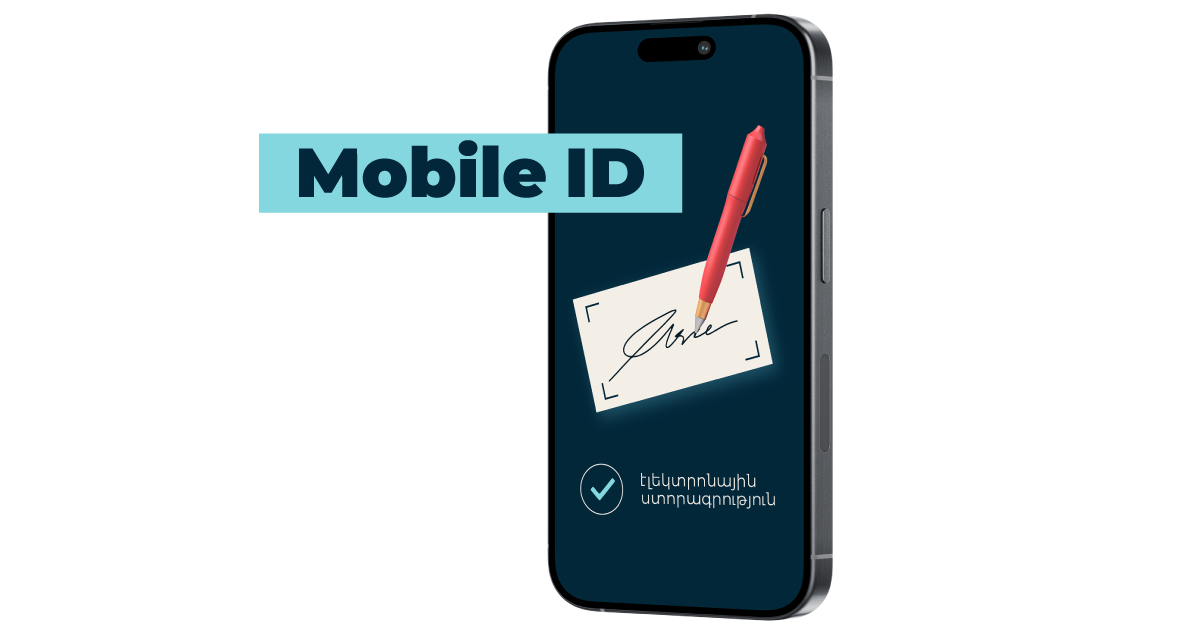

Legal significance
A digital signature created using Mobile ID has legal force and fully complies with the norms established by legislation.
Safe and reliable
Advanced encryption technologies ensure the reliable protection of your data. No one but you can sign: your SIM card is always with you, and access is protected by a PIN code known only to you.

Activation steps
✔ Visit any Team sales and service center. ✔ Verify your identity, ✔ Receive PIN codes for the secure use of the service. For activation, you need to visit Team office in person, in compliance with the legal requirements of the Republic of Armenia.
Due to technical limitations, Mobile ID with eSIM is not supported on iPhone 11 and older models. For these devices, a uSIM card is available.
SIM Card Registration via the My Team App
What is Mobile ID?
Mobile ID is a digital identification service based on a SIM card that allows you to:
- verify your identity;
- use an electronic signature;
- access digital services.
Where can I purchase a SIM card with Mobile ID support?
A SIM card with Mobile ID support (including the 100 GB internet package) can be purchased exclusively through distributors and partners of Team Telecom Armenia. The list of partners is available via the link.
A standard SIM purchase is also available at Team service centers and in the Team online store (without internet package of 100 GB).
Is this SIM card ready for use?
No. After purchase, the SIM card must be registered and activated in the My Team mobile application, in the SIMs section.
How do I activate this SIM card?
Registration and activation of the SIM card are performed in the My Team mobile application, in the SIMs section.
Who can use this service?
The service is available to:
- citizens of the Republic of Armenia;
- users over 18 years old;
- users registered in the My Team application, including subscribers of Team and other operators.
Important: online registration is available no more than three times per user.
What can I do with this SIM card?
With this SIM card, you can:
- Register the SIM online and get a new number;
- Register the SIM online, get a new number, and activate Mobile ID in a service center;
- Replace your old SIM while keeping your number (Team subscribers only);
- Replace your old SIM while keeping your number and activate Mobile ID (Team subscribers only).
If you do not have a SIM card, you must purchase one first.
What numbers and tariffs are available?
A wide range of numbers is available, including premium numbers.
The following prepaid tariff plans are available for activation:
- Be Free 2500
- Be Free 3200
- Be Free 3500
- Be Free 5000
- Be Free 8000
What documents are required?
For registration, you will need:
- a passport or ID card;
- for Mobile ID – ID card only.
What happens during registration of new number?
The My Team application performs:
- SIM card validation;
- number selection or transfer;
- billing data verification and update;
- identity verification based on documents and biometric data;
- automatic registration and activation;
- activation of the 100 GB internet package;
- sending the contract by email.
What happens during the card replacement?
The My Team application performs:
- SIM card validation;
- SIM card replacement;
- billing data verification and update;
- identity verification based on documents and biometric data;
- automatic registration and activation;
- activation of the 100 GB internet package;
- sending the contract by email.
When is the SIM card ready for use?
After successful online registration and receiving confirmation by email, the SIM card is ready for use – simply insert it into your phone.
Can Mobile ID be activated online?
No. Mobile ID is activated only during a personal visit to Team service centers, in accordance with legal requirements.
What should I do if the SIM card is not found?
If the application shows that the SIM card is not found, this may mean that:
- the card is not in the system;
- it was scanned incorrectly;
- it has already been activated.
In this case, please contact a Team service center or Team customer support by calling the short number 100.
What should I do if the number is registered to another person?
If the owner’s data of the number does not match the user’s data, registration is not possible. The number must be registered to the same person who passes verification.
If you believe this is a system error, please contact a Team service center or Team support.
What should I do if online registration failed?
You can visit any Team service center, where a staff member will perform:
- registration;
- activation;
- 100 GB internet package activation.
What should I do if the payment failed?
You can try the payment again.
Is the 100 GB package activated immediately?
Not always.
The system performs up to 3 connection attempts with a 3-minute interval.
100 GB bonus validity period
The package is valid for 6 months from the SIM card activation date.
Can I receive the bonus again?
- For a new number –yes
- For repeated SIM replacement with the same number –no
The bonus is provided once within 6 months from the first activation.
What should I do if my number is in Suspend status?
You need to top up your balance so that the status becomes Active, and then continue the registration.
Can I register a SIM card offline?
Yes. At a Team service center, a staff member can:
- register the SIM card;
- activate the number;
- connect the bonus;
- perform identity verification for Mobile ID service activation.
FAQ
Who can use Mobile ID?
The service is available to individuals
Type of citizenship and required documents
Citizen of the Republic of Armenia
- Valid identification card (ID card) or passport
- Public Services Number (in case of having an ID card)
Citizen of the Republic of Armenia with code 070
- Passport issued under code 070
- Public Services Number
- Temporary protection certificate
Foreign citizen*
- Public Services Number (for public services)
- Passport
- And one of the following documents:
- Temporary or permanent residence card
- Special passport
- Certificate confirming legal residence
*To make the appropriate note regarding identification in the foreign citizens’ registration system, foreign citizens must apply to the Unified Public Services Office at 3 Vazgen Sargsyan Street, Yerevan, presenting the necessary documents.
What is an electronic signature?
An electronic signature is the digital equivalent of your personal signature, ensuring the authenticity of documents.
It is used for signing contracts, applications, and other important documents, guaranteeing security and reliability.
Which services can I access using Mobile ID?
With Mobile ID, you can:
✔ Access online banking and other digital services,
✔ Sign contracts, agreements, and other documents,
✔ Log in to government services and portals,
✔ Participate in electronic voting and other remote processes.
What is EKENG?
The Electronic Governance Infrastructure Implementation Office (EKENG) is a state-authorized organization that manages and facilitates the issuance of certificates.
EKENG grants permission for electronic signature certificates and provides the right to use electronic signatures for an annual fee.
For more detailed information about EKENG’s activities, visit https://ekeng.am/.
What is the “Yes em” Portal?
The www.yesem.am portal is a secure identification and electronic signature platform.
The portal’s username is a registered and verified mobile phone number in the following format: 0xx xx xx xx. A PIN code is generated upon registration for Mobile ID / mobile strong identification and/or digital electronic signature services.
Users can also sign and verify documents through the www.yesem.am portal.
The “Yes em” portal keeps track of all transactions performed via Mobile ID and stores relevant records for security and transparency.
Is it necessary to change the eSIM/SIM card for Mobile ID?
Yes, a special eSIM/SIM card is required to use Mobile ID. You can replace your SIM card at Team sales and service center centers.
How long does it take to replace the SIM card?
If you have all the necessary documents, the SIM card replacement process takes just a few minutes.
Can I deactivate the Mobile ID service?
Yes, you can deactivate the service at any time by visiting a Team sales and service center.
What should I do if my SIM card is lost or damaged?
Visit a Team sales and service center to restore your SIM card and reactivate Mobile ID.
How to protect my PIN code?
❌ Never share your PIN code with anyone.
✔ Use complex and unique codes to protect your data.
Is Mobile ID secure?
Yes, Mobile ID ensures a high level of security by using advanced encryption technologies and two-factor authentication mechanisms.
Can I use Mobile ID abroad?
Yes, if your SIM card has roaming enabled, you can use Mobile ID while abroad.
Is it necessary to download an app for Mobile ID?
No, Mobile ID works without any apps. All functions integrated into in the SIM card.
What should I Do If I forget my PIN code?
Visit a Team sales and service center to restore your PIN code.
How much does the Mobile ID cost?
✔ There is no charge for activating and using the Mobile ID service.
✔ eSIM/SIM card replacement fee: 500 AMD.
Can I Use Mobile ID on multiple devices?
Mobile ID is linked to your eSIM/SIM card, so it can only be used on the device where the SIM card is installed.
Can I change my Mobile ID PIN code?
Yes, you can change your PIN code at a Team sales and service center.
What Should I Do If Mobile ID Is not working?
Check your mobile network availability or contact your operator’s support center for assistance.
What should I do If I change my phone number?
If you change your phone number, your existing Mobile ID will no longer work. You need to visit any Team sales and service center to reactivate the service.
What happens if the eSIM is removed from the phone?
eSIM with Mobile ID the can be used only once. For example, if the downloaded profile is deleted from the smartphone and the subscriber wants to restore it, this cannot be done. It is necessary to visit any Team office to replace the eSIM.
Technical limitations
Due to technical limitations, Mobile ID with eSIM is not supported on iPhone 11 and older models. For these devices, a uSIM card is available.
How can I check the service status on my number?
To check, follow the link and enter your phone number in the form on the website.
Link: https://imid.am/am/test