


- Home
- Private Clients
- Help
- Device settings
What is an IP address and how to know own IP address?
An IP address is a unique number issued to a computer or host on a network. To work properly within the network, the address must be unique, so if you work on the Internet there is a certain order for issuing IP addresses. Before finding out your IP address, you need to understand which IP address you need to look up, the local IP address given to your computer or global provided by your internet provider.
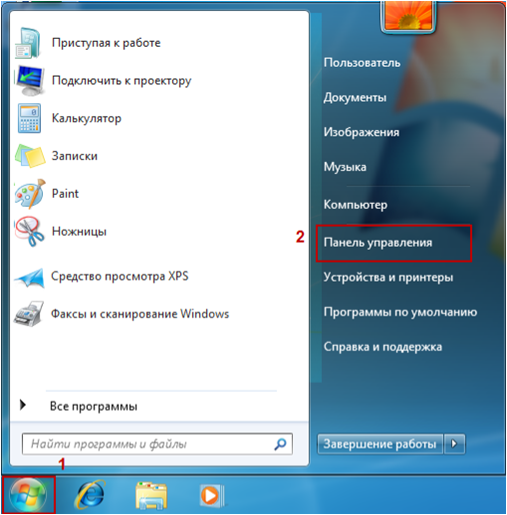
How to determine the internal address of your PC in the local network? On the taskbar, click the Start button and select Control Panel.
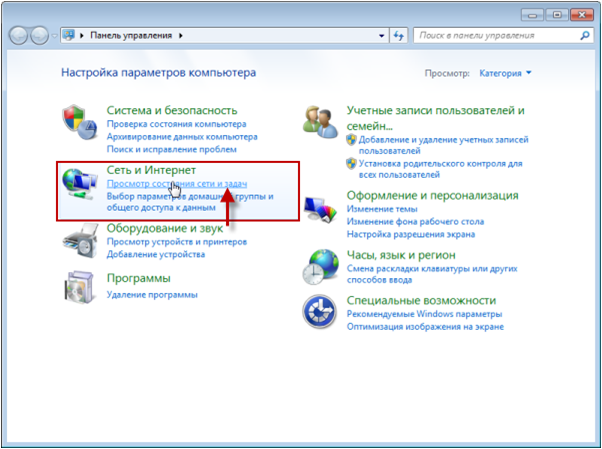
How to determine the internal address of your PC in the local network? In the Control Panel window in the Network and Internet section click the View network status and tasks link.
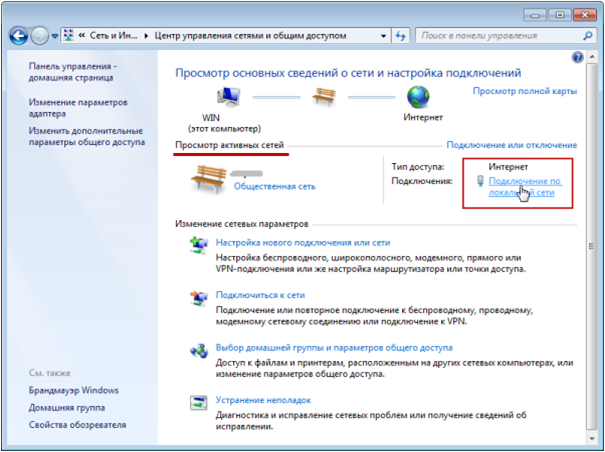
How to determine the internal address of your PC in the local network? In the Network and Sharing Center, in the View active networks section, select the network with the Internet access type and click link Local Area Connection (the name of the link depends on the type of connection and may be different for each computer).
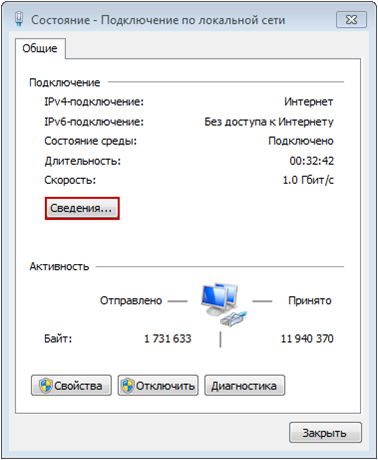
How to determine the internal address of your PC in the local network? In the Status window, click the Details button.
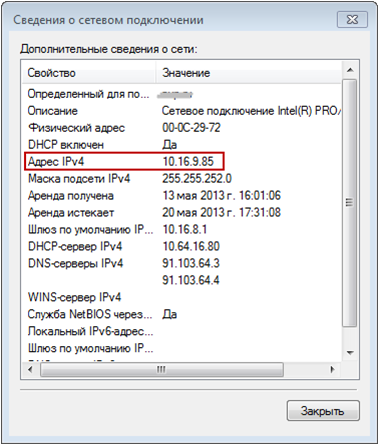
In the Network Connection details window, the IP address is listed in the IPv4 Address line.
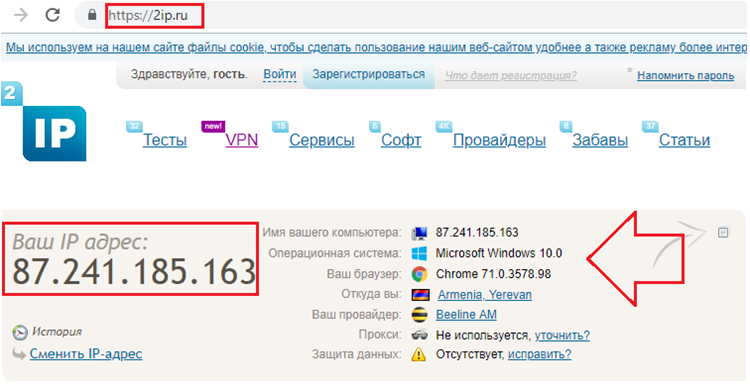
How to determine the external IP address? To do this, just go to any website that provides such information. It's free. For example, you can go to the site 2ip.ru or speedtest.net and immediately, on the first page see your IP address on the Internet from your provider and other useful information. You have successfully determined your IP address.