• Private Clients
  • Business
  • E-shop
  • Հայ
  • Рус
  • Eng
Personal account
Team
  • Tariffs
    • Mobile
    • Internet and TV - COSMO
    • Internet and TV - COMBO
    • Home phone
  • Internet
    • For smartphones
    • For home - COSMO
    • For home - COMBO
    • For PC & Tablet
    • Team 5G
  • Services
    • TeamTV
    • Payment services
    • Entertainment
    • Calls & security
    • Home phone
  • Roaming
    • Roaming
    • International calls
    • Useful information
    • Services
  • Online shop
    • E-shop
    • Online credit
    • Subscription
  • Offers
    • Shake and Win!
    • Team Bonus
    • Promos
    • MobiBattle
    • GeForce Games
  • Help
    • FAQ
    • Device settings
    • Subscriber service
    • USSD codes and useful numbers
Payments
  • FAQ FAQ
  • Device settings Device settings
  • Subscriber service Subscriber service
  • USSD codes and useful numbers USSD codes and useful numbers
  • Home
  • Private Clients
  • Help
  • Device settings

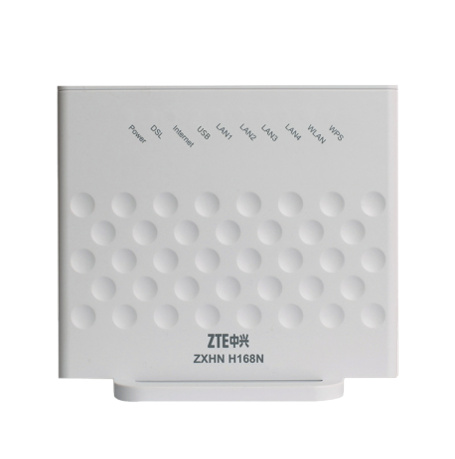
How to connect and configure the router ZTE H168N

For entering modem menu with factory settings, you can use instructions described on the back side of the modem. Connect the ZXHN H168N router using in-the-box accessories, without buying additional wires and devices. Along with Ethernet cable for connecting to the computer from which the initial setup will be made, a splitter is provided with the device, allowing you to filter the Internet signal from the telephone. ZTE H168N router supports two technologies (ADSL2 + / VDSL2 +).

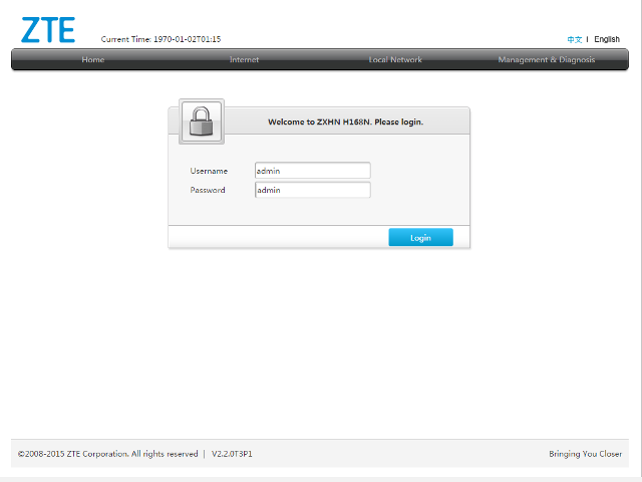
То configurе ZTE H168N WiFi modem     Type in the address bar of your browser (Internet Explorer, Opera, Mozilla, Google Chrome, Safari) http://192.168.1.1 and click “enter”.     To access the modem configuration, enter the following username and password in the opened window:     Username: admin     Password: admin     and click “Login” .

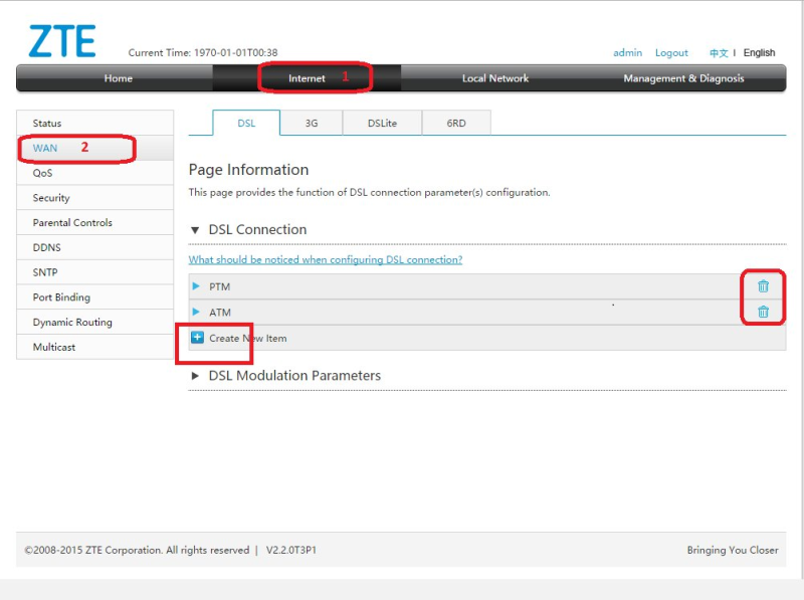
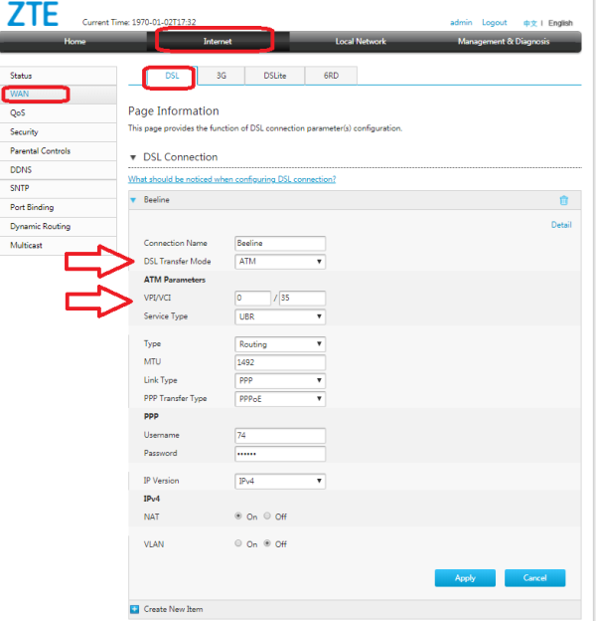
In the opened window select menu – Internet-WAN Delete PTM and ATM lines by pressing buttons with trash bin image on the right. To create a new connection, click on Create New Item

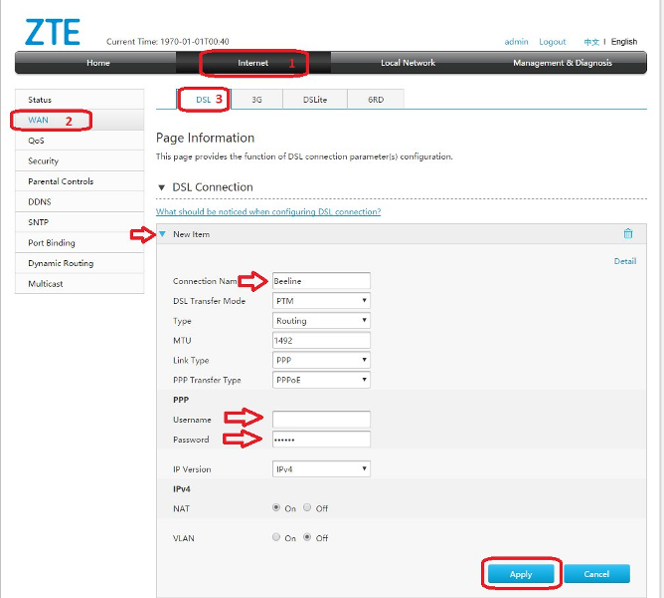
To configure the router in VDSL mode, you need: In the DSL Transfer Mode section, select - PTM Enter data to access the Internet. Username: - 7400XXXXXX (Your username) Password - ****** (Your password) Click Apply

To configure the router in VDSL mode, you need: In the DSL Transfer Mode section, select – ATM VPI- 0 VCI- 35 Enter data to access the Internet. Username: - 7400XXXXXX (Your username) Password - ****** (Your password) Click Apply

Team
100 info@telecomarmenia.am
qr
team.mobile.application_ios.link.label team.mobile.application_android.link.label
qr qr
About Company
  • About us
  • Connections museum
  • News
  • Career in Telecom Armenia
  • Results and reporting
  • Corporate Ethics and Compliance
  • Sustainable Development
  • To shareholders
Information
  • Terms and conditions
  • Security
  • E-shop terms
  • Credit terms
  • Delivery terms
  • Sales and service centers
  • Coverage
  • Mobile network coverage areas
  • Team internet available areas
  • Useful documents
  • Partners and suppliers
  • Privacy policy
  • RA regions’ codes
Team applications
  • TeamTV
  • My Team
  • Team Pay
  • Team Energy

© 2025 Telecom Armenia OJSC. All rights reserved. Developed by Team Solutions CJSC.