


- Home
- Private Clients
- Help
- Device settings
How to configure the router
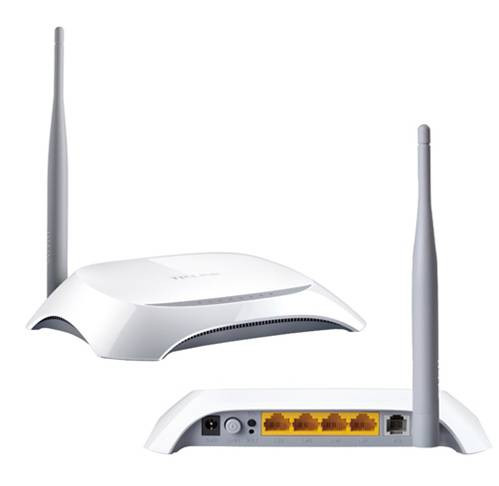
How to configure the router TP-Link TD W8901N
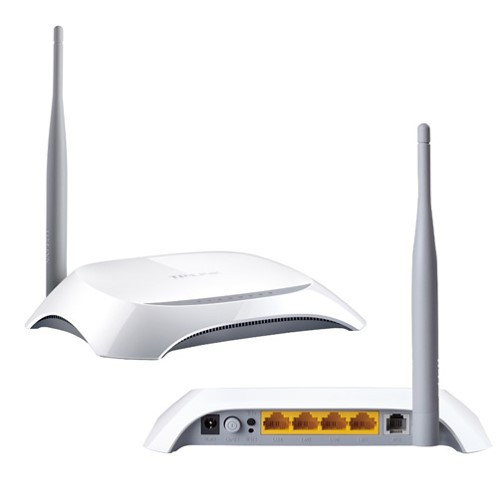
Make sure you are connected to a modem network (via LAN or WiFi) to enter the modem's factory settings menu.
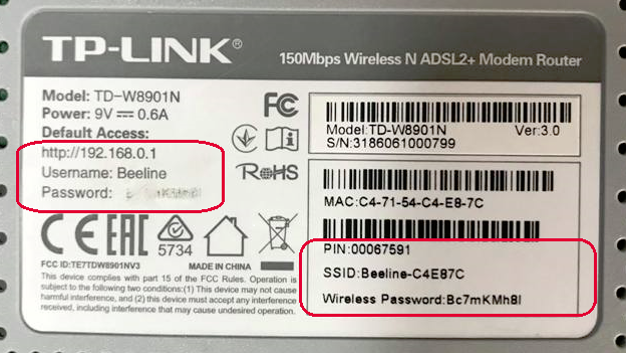
For TP-Link TD W8901N WiFi modem configuration: Type http://192.168.0.1/ or http://192.168.1.1/ in the address bar, as written on the bottom of the modem. To access the modem configuration enter the following username and password in the opened window: Username– Beeline or admin , Password- is listed on the back of the modem, labeled Wireless Password or admin .
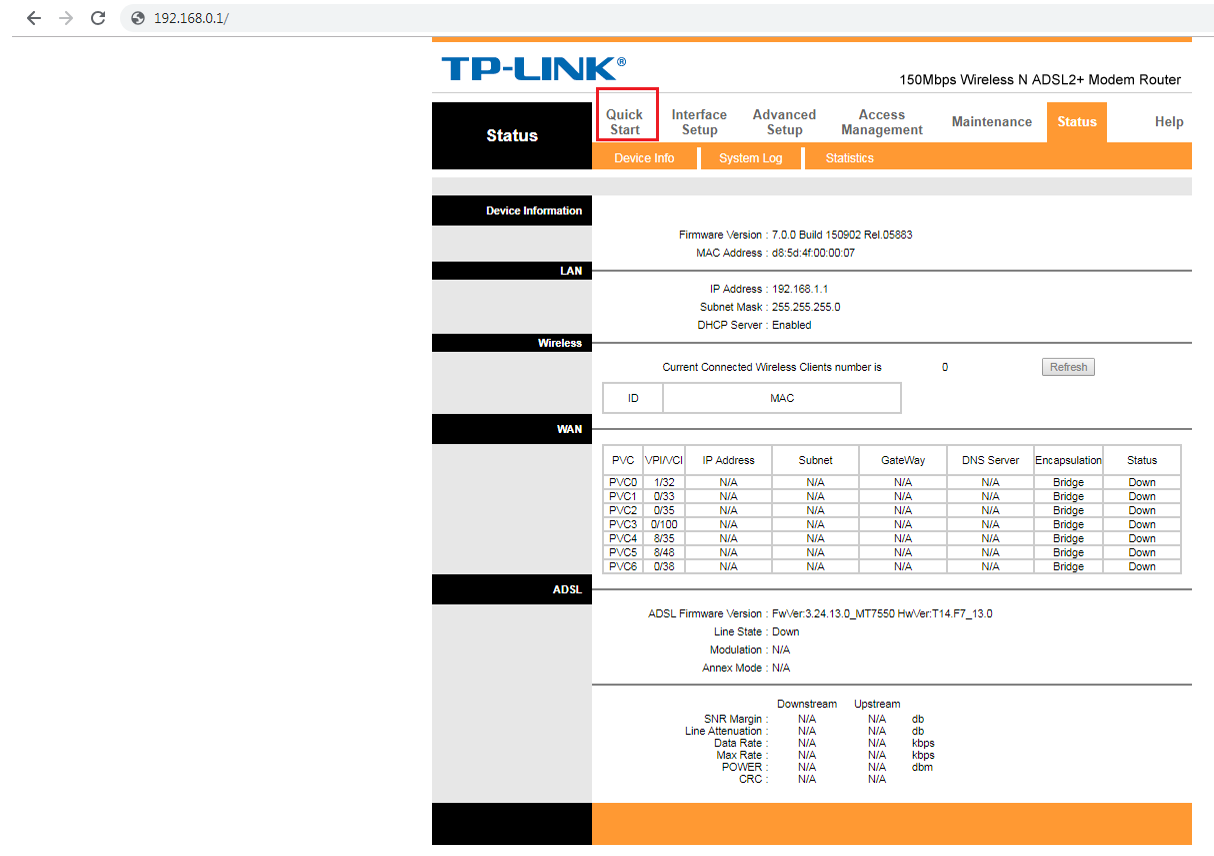
In the opened window select Quick Start.
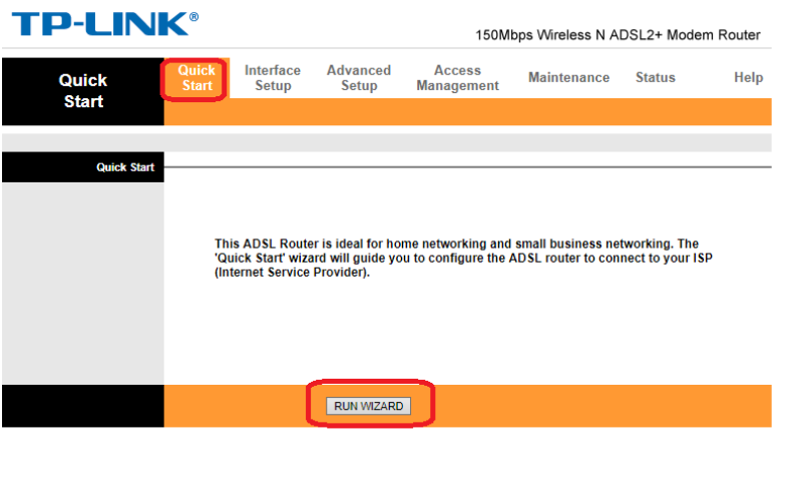
In the opened window click RUN WIZARD.
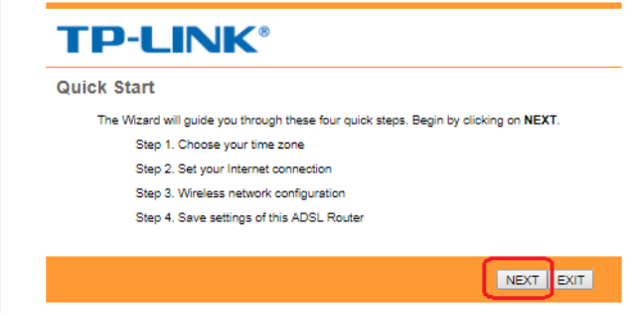
In the next window click Next
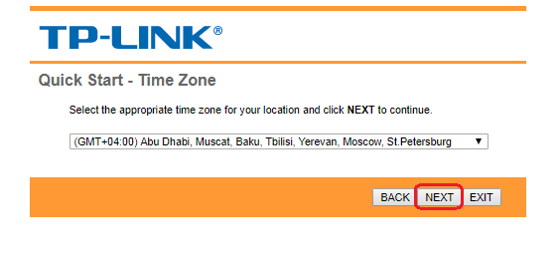
Leave the time zone unchanged and click on the Next button.
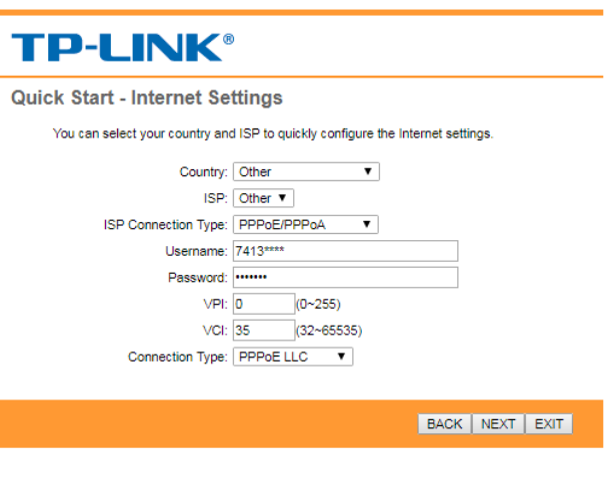
On the current window, write the fields: Country— Armenia, ISP Connection Type — PPPoE/PPPoA : Fill in the fields: (Username) – 74**** (Password) — **** VPI — 0 VCI — 35 After filling in the specified fields, click Next.
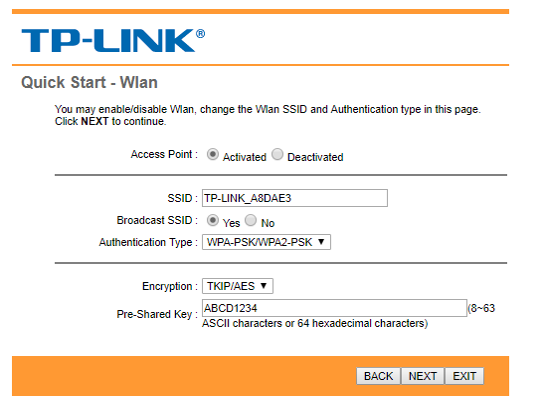
Opens Wireless settings window: SSID- register the WiFi name at your request Authorization type - WPA-PSK/WPA2-PSK Encryption – TKIP Pre-Shared Key – (minimum 8 characters) Then click Next.
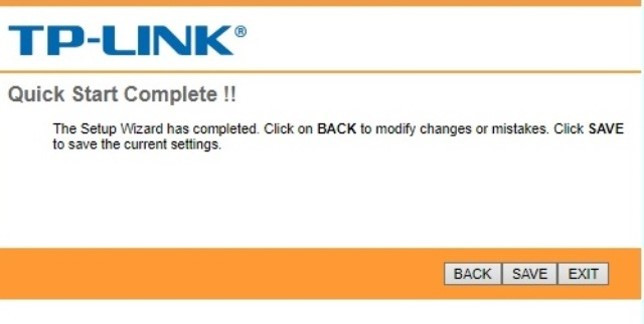
In the final window click Save Modem setup is complete!
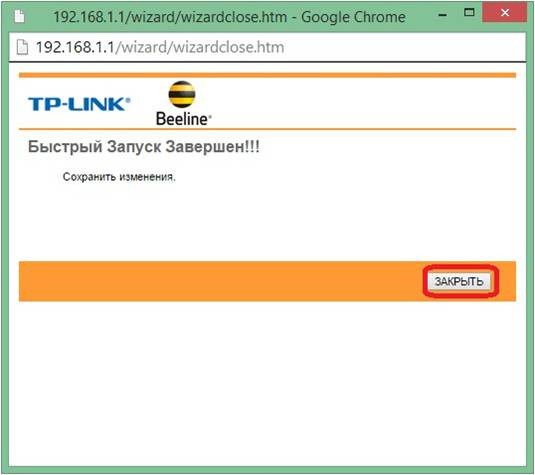
In the final window, click on the Close button On this you complete modem configuration and connection setup.