


- Home
- Private Clients
- Help
- Device settings
How to configure the router VDSL V100
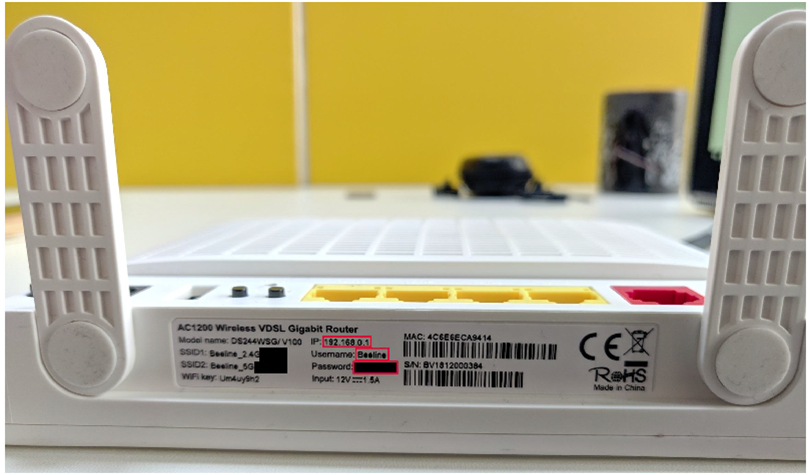
To enter the modem menu in the factory settings, you can use the instructions described underneath the modem.
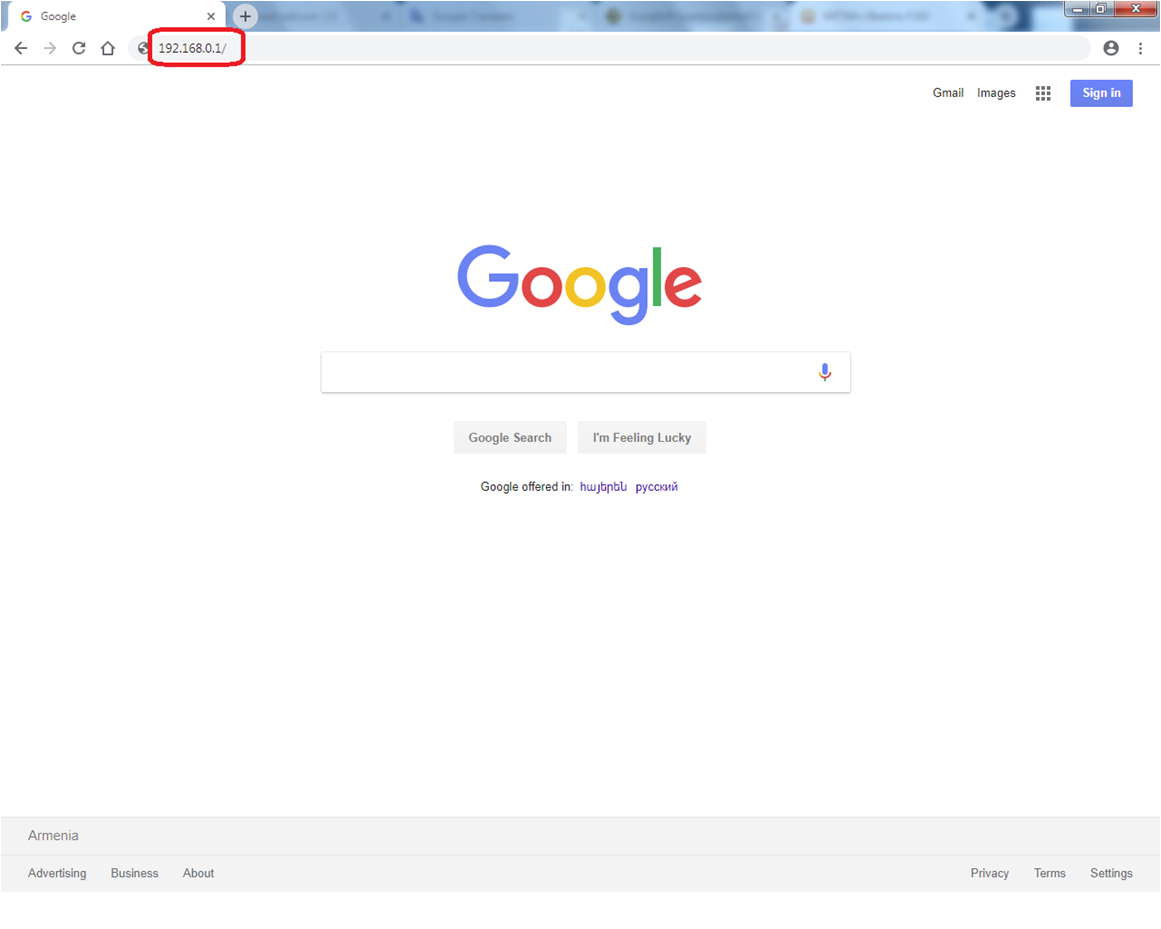
For VDSL V100 modem configuration: Type http://192.168.0.1/ in the address bar
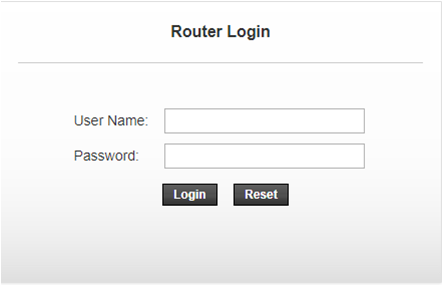
To access the modem configuration in opened window enter the following username and password : Username – admin Passwօrd- Be7-9Ov1!cS
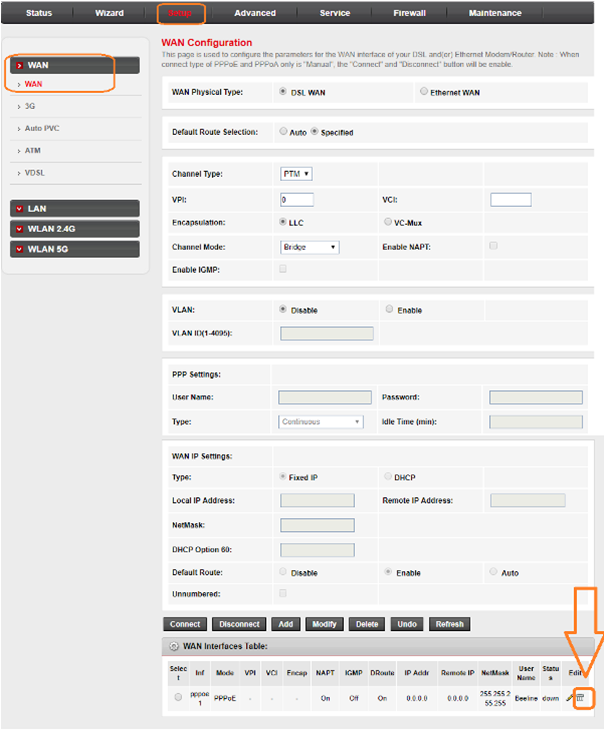
After that you will be taken to the modem web-interface. In the opened window select Setup and then click on the WAN. In Wan Interfaces Table at the bottom, click the trashbin icon.
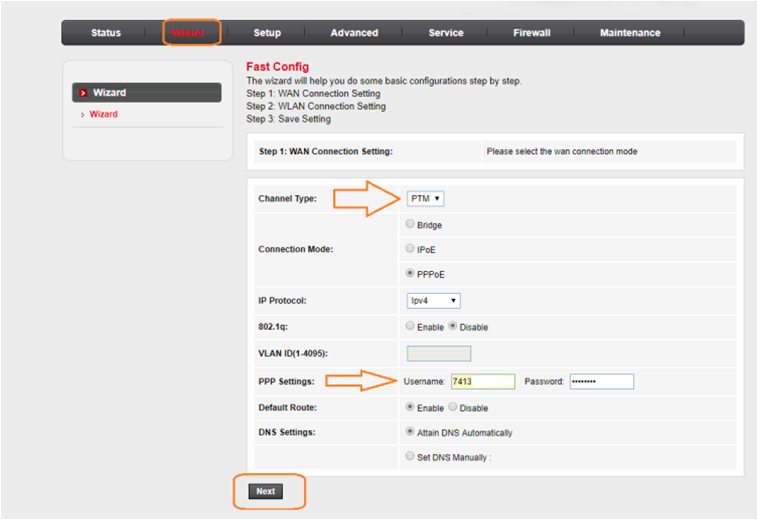
In top menu, click on the Wizard. Make the changes listed in this window. Channel type - PTM In the Username and Password fill in the information specified in the contract. After making the changes, click Next.
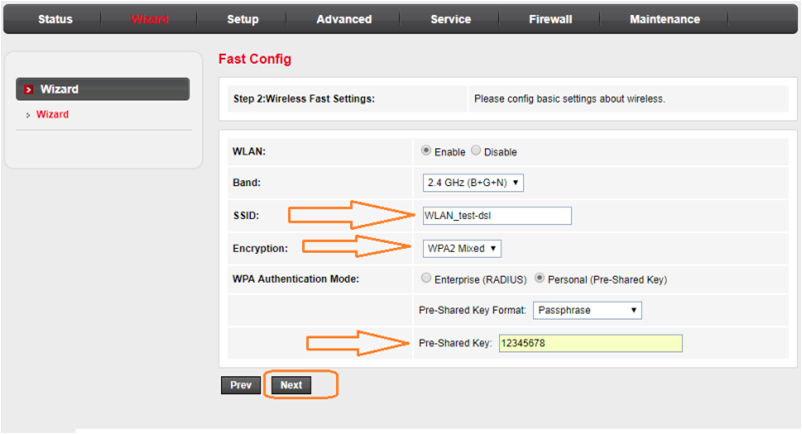
In oppend window, make the changes below. Enter the WiFi name in the SSID (per your preference). Encryption - WPA2 Mixed. Add a WiFi password (2.4 GHz) (minimum 8 characters) in the Pre-Shared Key. After making changes, click Next.
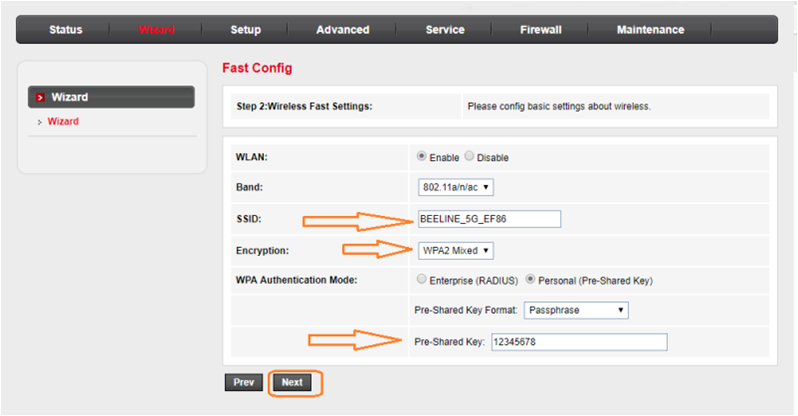
In oppend window, make the changes below. Enter the WiFi name in the SSID (per your preference). Encryption - WPA2 Mixed. Add a WiFi password (5 GHz) (minimum 8 characters) in the Pre-Shared Key. After making changes, click Next.
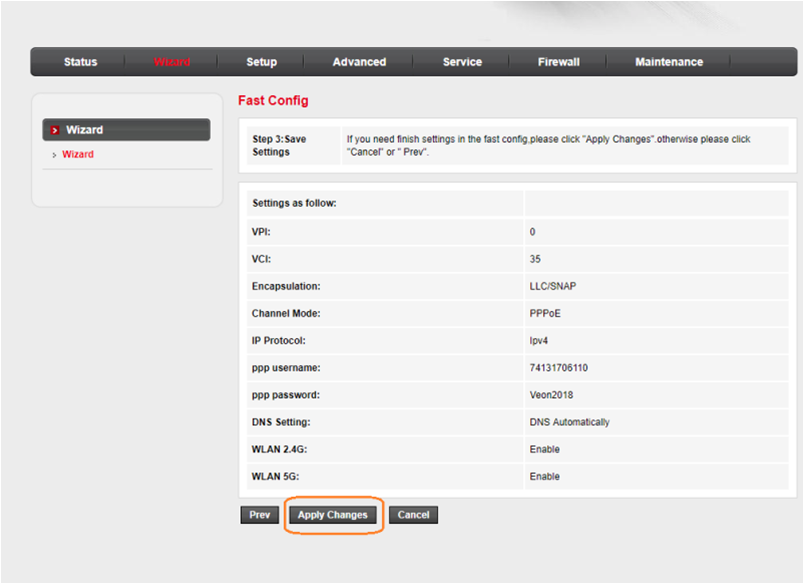
Click the Apply Changes button at the end of the page, then wait about 1 minute.
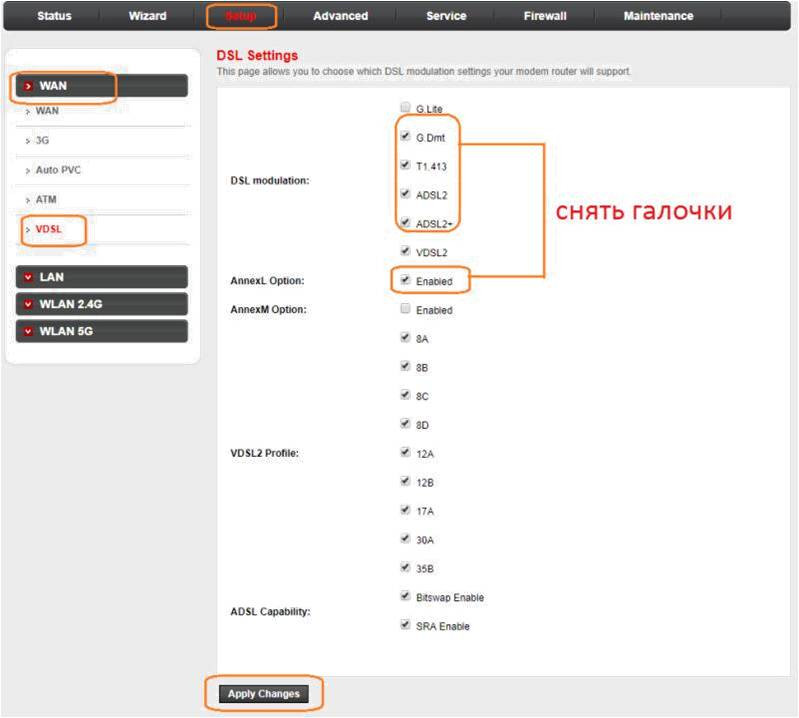
Enter the VDSL submenu and uncheck the checkboxes shown in the picture. Click on the Apply Chnages. This completes the modem setup!