


- Home
- Private Clients
- Help
- Device settings
How to configure the router D-Link Dir 300/Dir300A
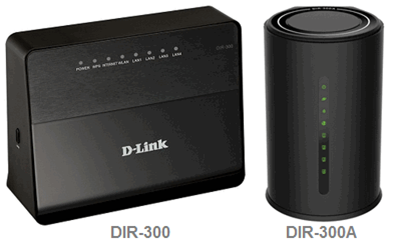
How to configure the router D-Link Dir 300/Dir300A
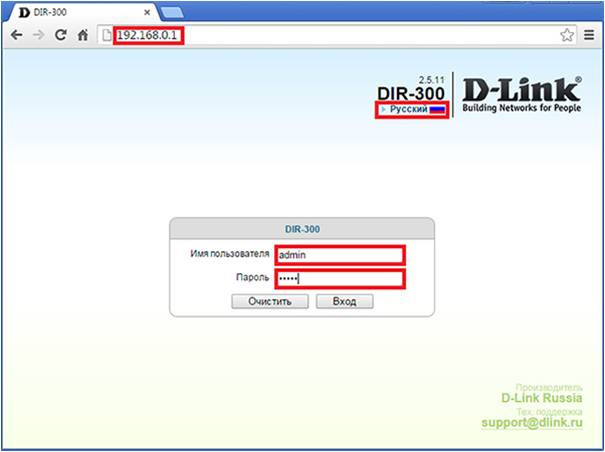
Open an Internet browser on your computer (Internet Explorer, Google Chrome, Firefox), and in the address bar type http://192.168.0.1 Choose language Enter the following username and password in the opened window Username: admin, password: admin
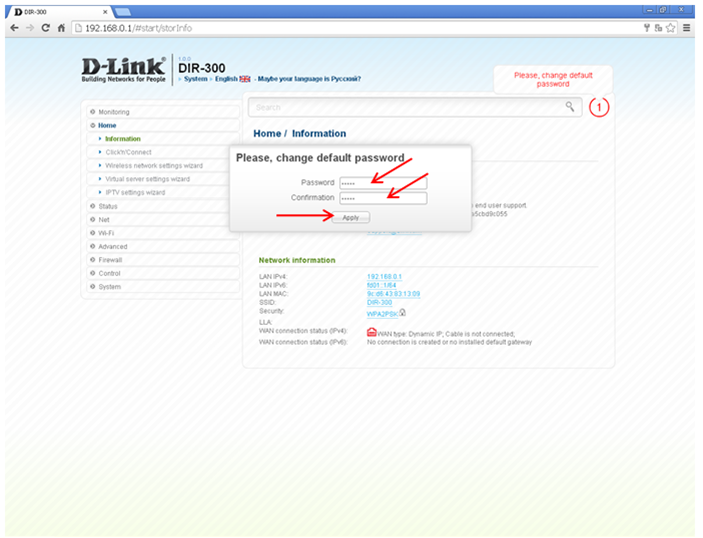
In the Password field - enter a new password In the Confirmation field – re-enter the new password Then click Apply
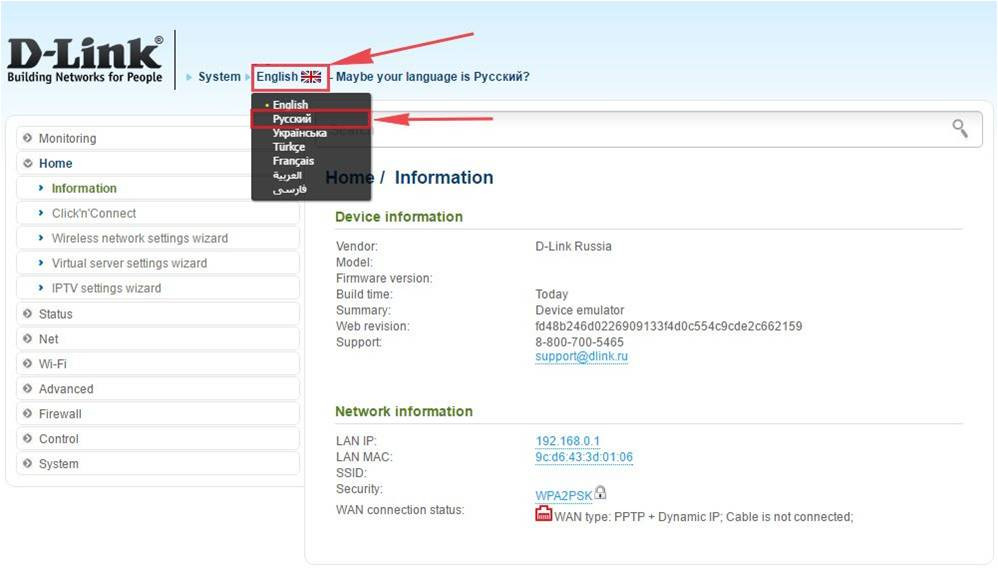
If your router interface is in other language, click on the checkbox at the top and select English.
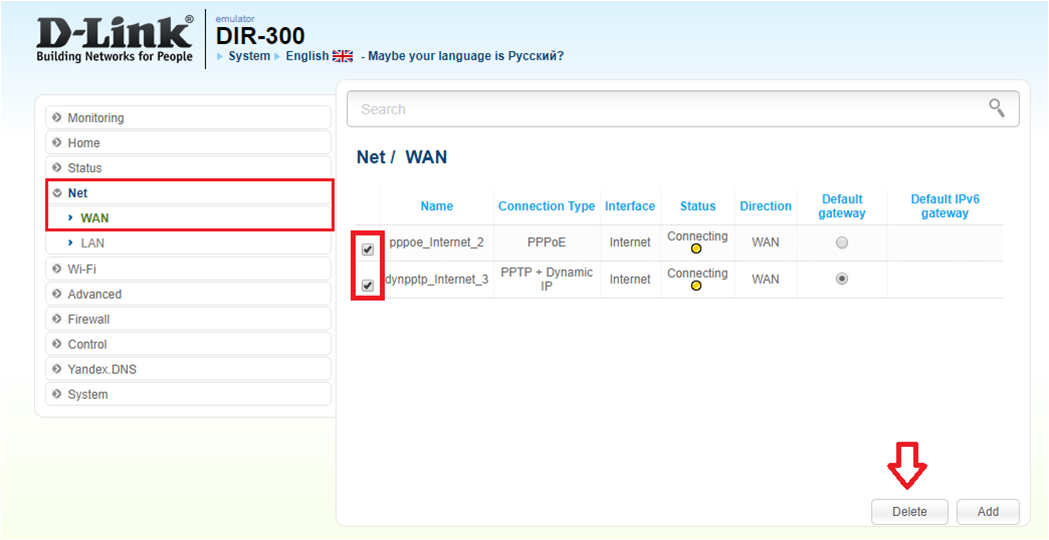
Enter in «Net» ⇒«WAN». If there are already created connections in Net - WAN, we recommend you Delete them.
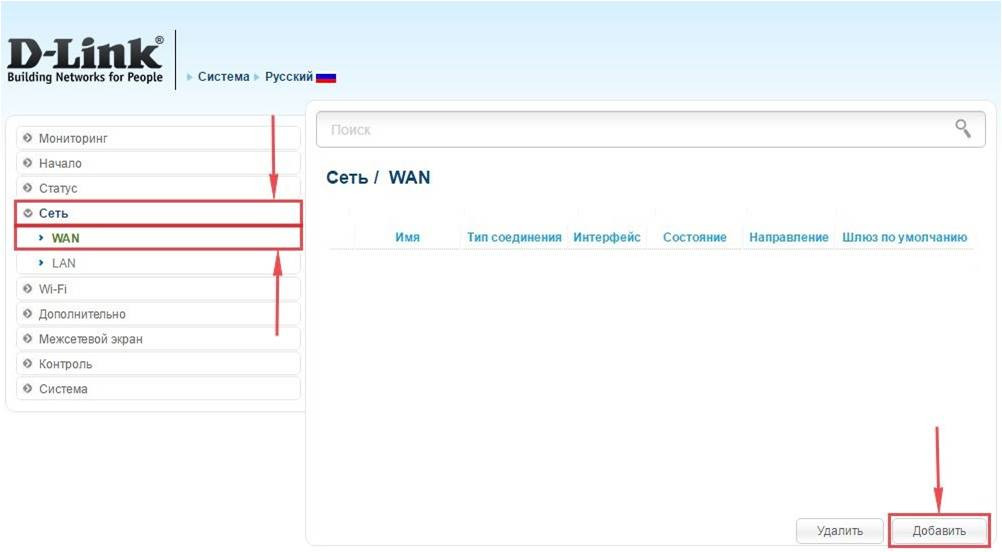
In the same section, click on the Add button.
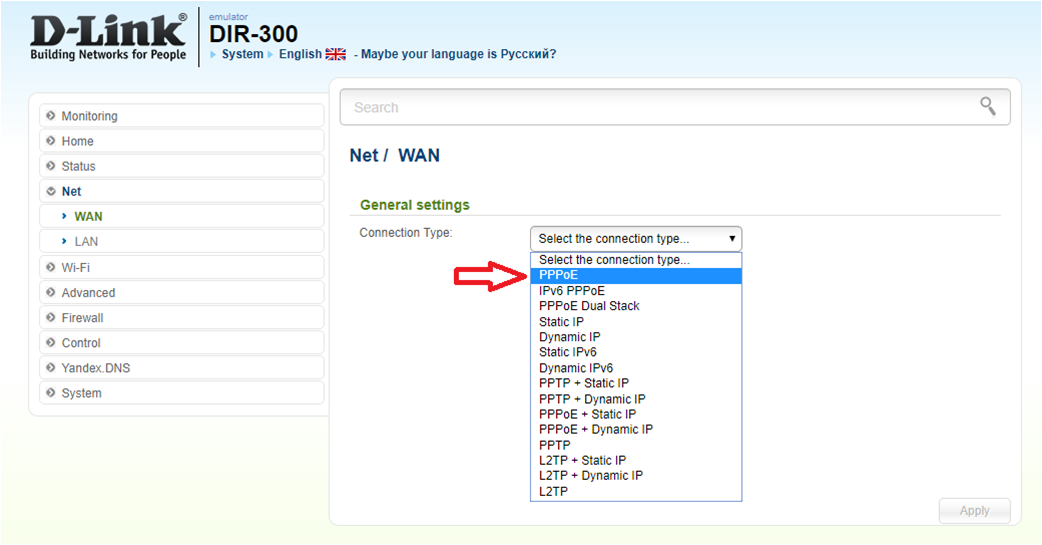
In the Connection Type field choose PPPoE
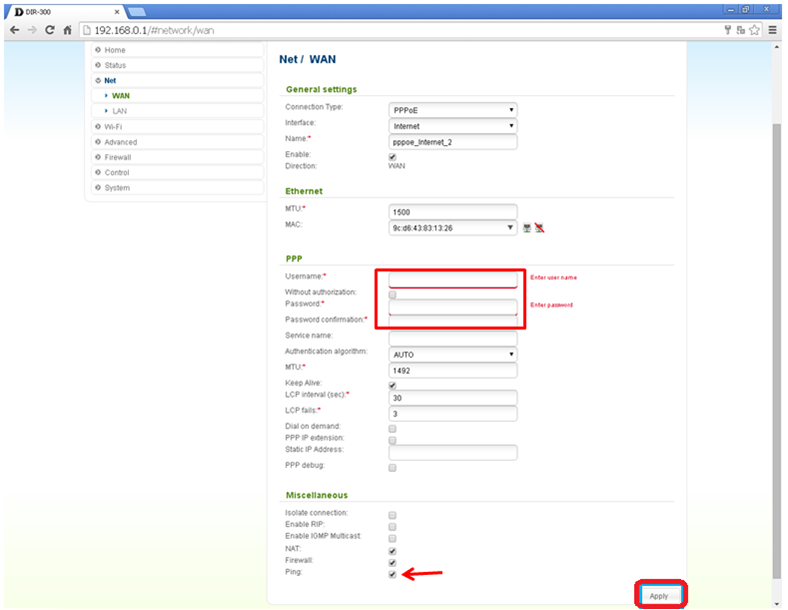
The following fields are necessary to fill in the opened window: Username: Your login from the agreement Password: Your password from the agreement In the NAT, Firewall, Ping field you need to put tick After filling in these fields, click Apply
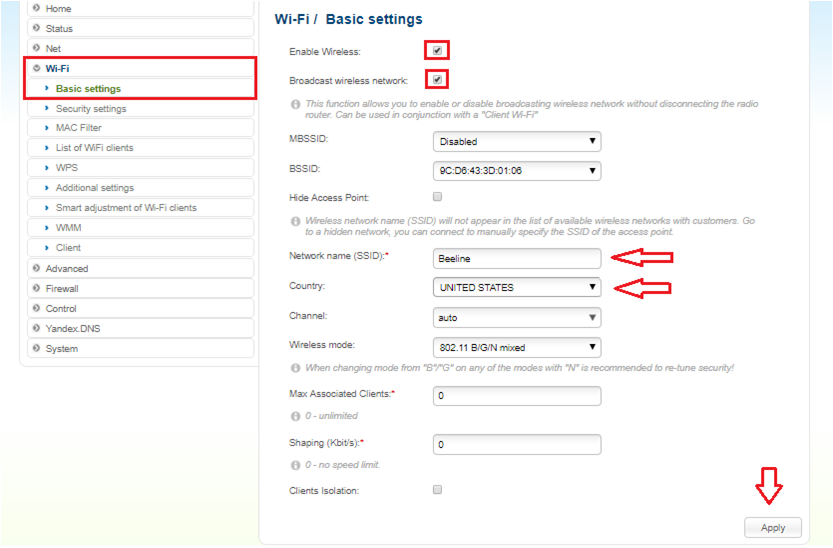
Entere to the Wi-Fi menu Choose the «Basic settings» In the Network name (SSID) - set the name of the wireless access point In the “Country” field choose “UNITED STATES” Click “Apply”
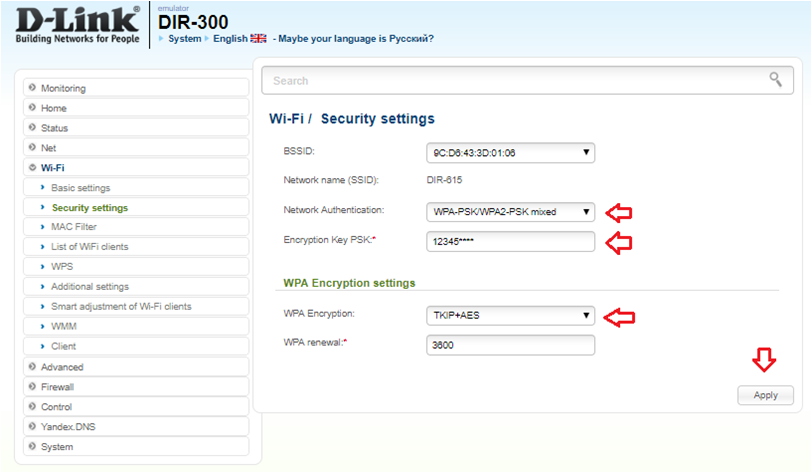
Entere to the Wi-Fi menu Choose the «Security settings» In Network Authentication choose - WPA2/PSk/WPA2-PSK mixed In the Encryption Key PSK field, enter any password at least 8 characters WPA Encryption settings choose TKIP+AES Click Apply
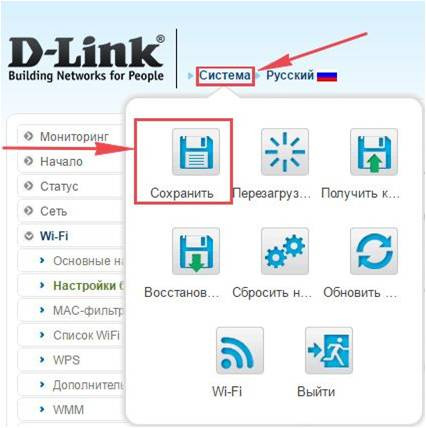
After making the basic settings, you need to save the settings and restart the router. 1. Move the cursor to the menu “System” (Система) 2. Click on the “Save” (Сохранить) 3. Move the cursor to the menu “System” (Система) 4. Click on "Reload" After this, a Wi-Fi network will appear with the name you specified during the setup process. To connect to the network, use the password that you set.