• Private Clients
  • Business
  • E-shop
  • Հայ
  • Рус
  • Eng
Personal account
Team
  • Tariffs
    • Mobile
    • Internet and TV - COSMO
    • Internet and TV - COMBO
    • Home phone
  • Internet
    • For smartphones
    • For home - COSMO
    • For home - COMBO
    • For PC & Tablet
    • Team 5G
  • Services
    • TeamTV
    • Payment services
    • Entertainment
    • Calls & security
    • Home phone
  • Roaming
    • Roaming
    • International calls
    • Useful information
    • Services
  • Online shop
    • E-shop
    • Online credit
    • Subscription
  • Offers
    • Shake and Win!
    • Team Bonus
    • Promos
    • MobiBattle
    • GeForce Games
  • Help
    • FAQ
    • Device settings
    • Subscriber service
    • USSD codes and useful numbers
Payments
  • FAQ FAQ
  • Device settings Device settings
  • Subscriber service Subscriber service
  • USSD codes and useful numbers USSD codes and useful numbers
  • Home
  • Private Clients
  • Help
  • Device settings

How to configure the router D-Link 2640U new
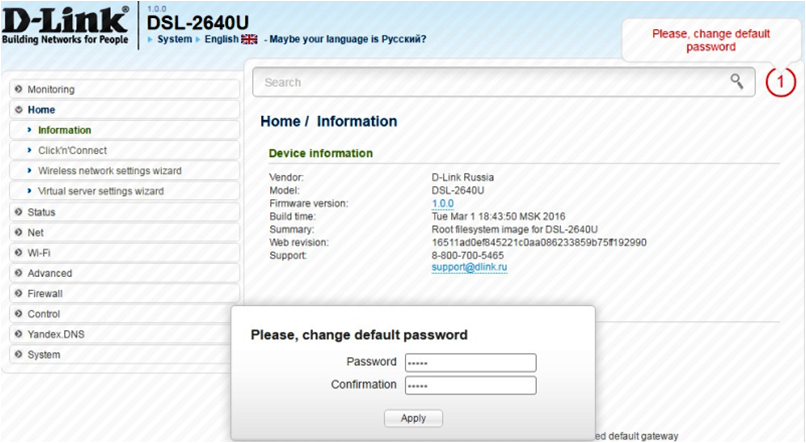
In the opened field Password и Confirmation It is necessary to register 12345 new password to enter the interface. Then click - Apply.
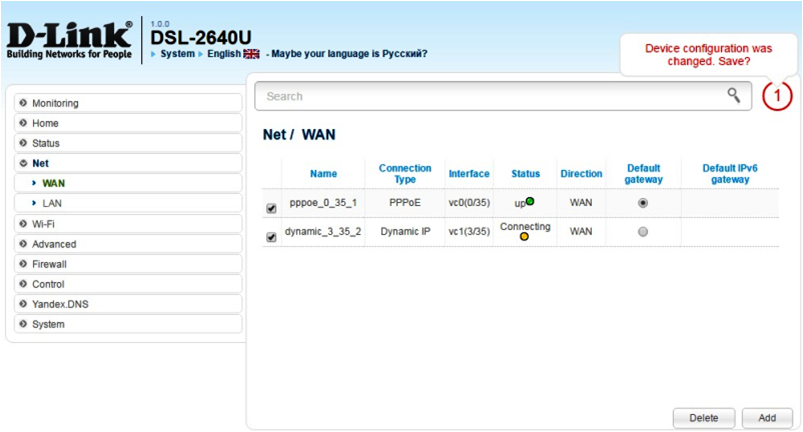
In the opened window select menu– Net – WAN. It is necessary to insert a check mark and click - Delete. Then click - Add.
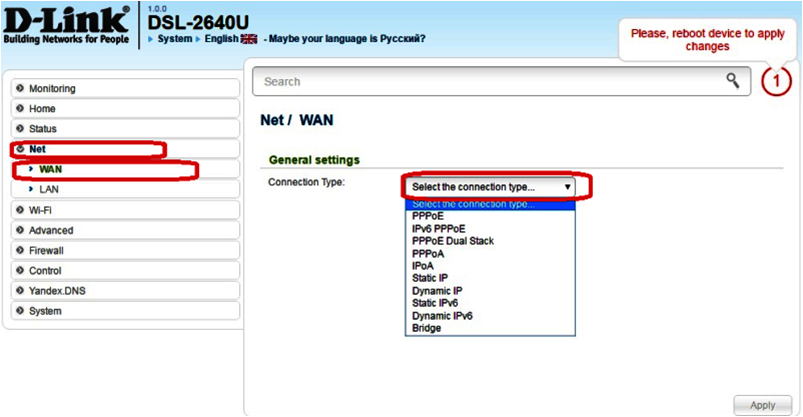
In the current window, select the PPPoE field.
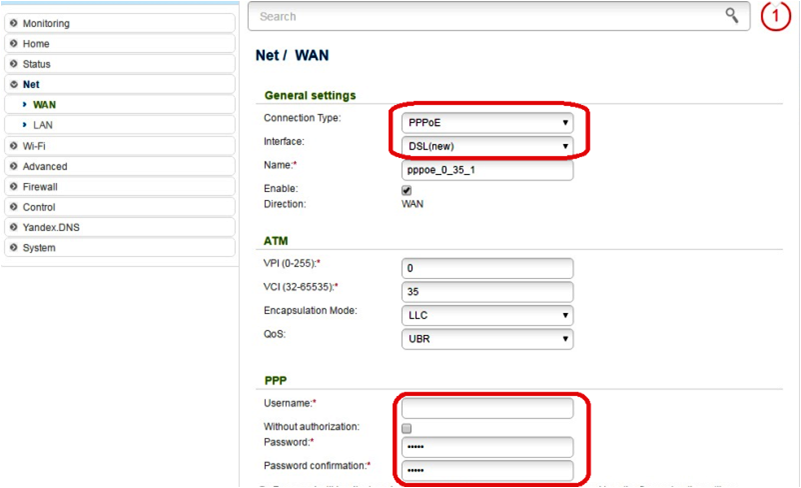
After updating the page, fill in the fields: Username-74**** Password — **** VPI — 0 VCI — 35
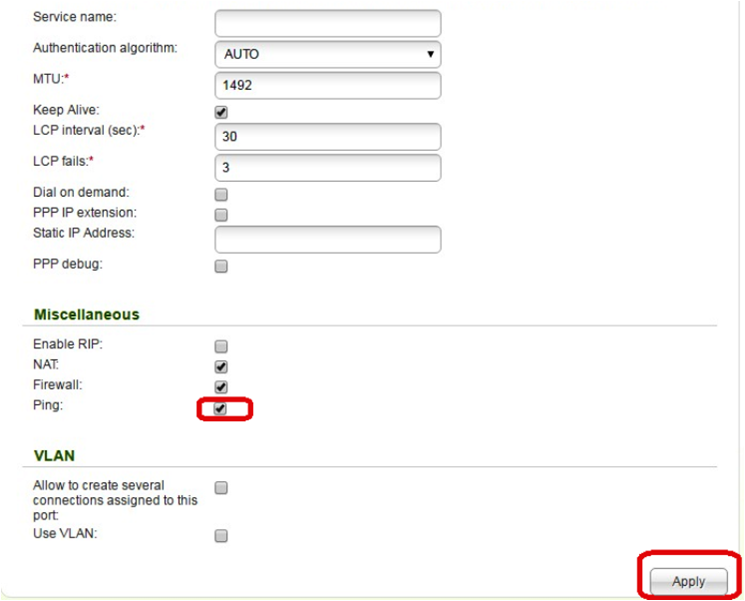
At the bottom of the current page you need: Mark the point- Ping. Press- Apply.

Mark the Default gateway point
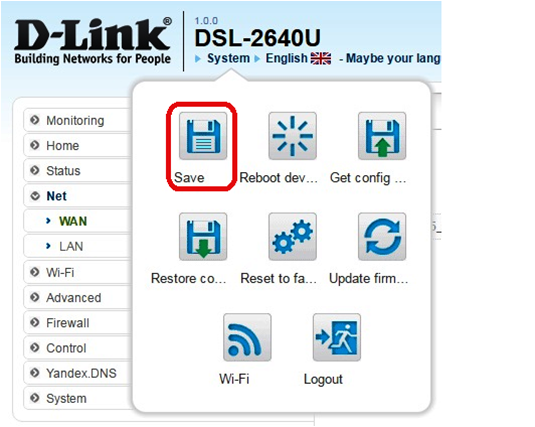
Click the Save button.
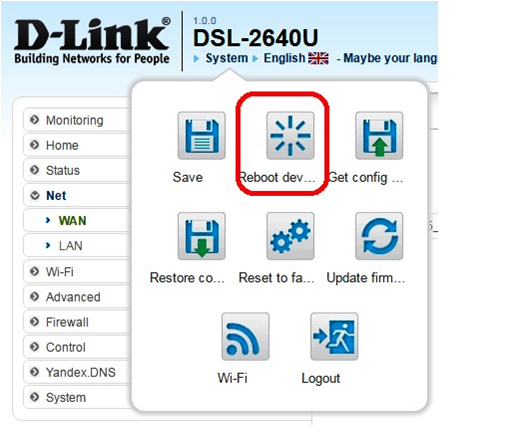
After saving, click on the Reboot device (to reboot the modem). This completes the modem and connection setup!

Team
100 info@telecomarmenia.am
qr
team.mobile.application_ios.link.label team.mobile.application_android.link.label
qr qr
About Company
  • About us
  • Connections museum
  • News
  • Career in Telecom Armenia
  • Results and reporting
  • Corporate Ethics and Compliance
  • Sustainable Development
  • To shareholders
Information
  • Terms and conditions
  • Security
  • E-shop terms
  • Credit terms
  • Delivery terms
  • Sales and service centers
  • Coverage
  • Mobile network coverage areas
  • Team internet available areas
  • Useful documents
  • Partners and suppliers
  • Privacy policy
  • RA regions’ codes
Team applications
  • TeamTV
  • My Team
  • Team Pay
  • Team Energy

© 2025 Telecom Armenia OJSC. All rights reserved. Developed by Team Solutions CJSC.