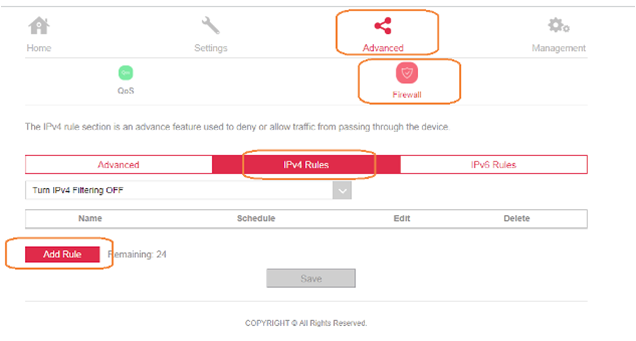
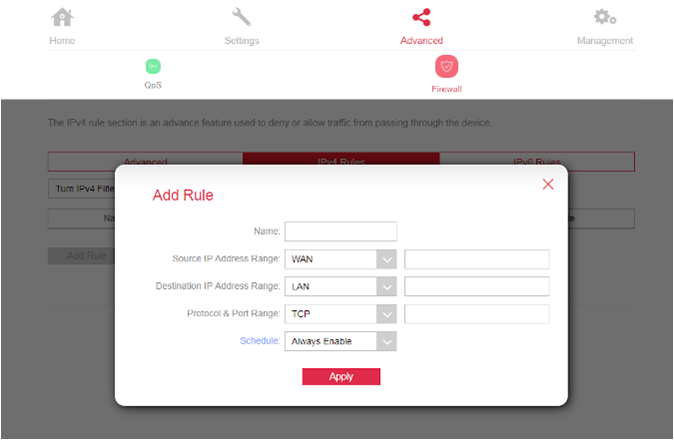
Name- enter any name,
Source IP Address Range– select WAN and register 0.0.0.0,
Destination IP Address Range- select LAN and enter the internal IP address that is recorded on your DVR,
Protocol & Port Range- Choose the appropriate protocol and port range,
Schedule- Always Enable.
After making the necessary entries, click Apply.
At this stage, Port forwarding via Virtual Sever is complete!