


- Home
- Private Clients
- Help
- Device settings
How to configure the modem WiFi D-Link DSL 2640U
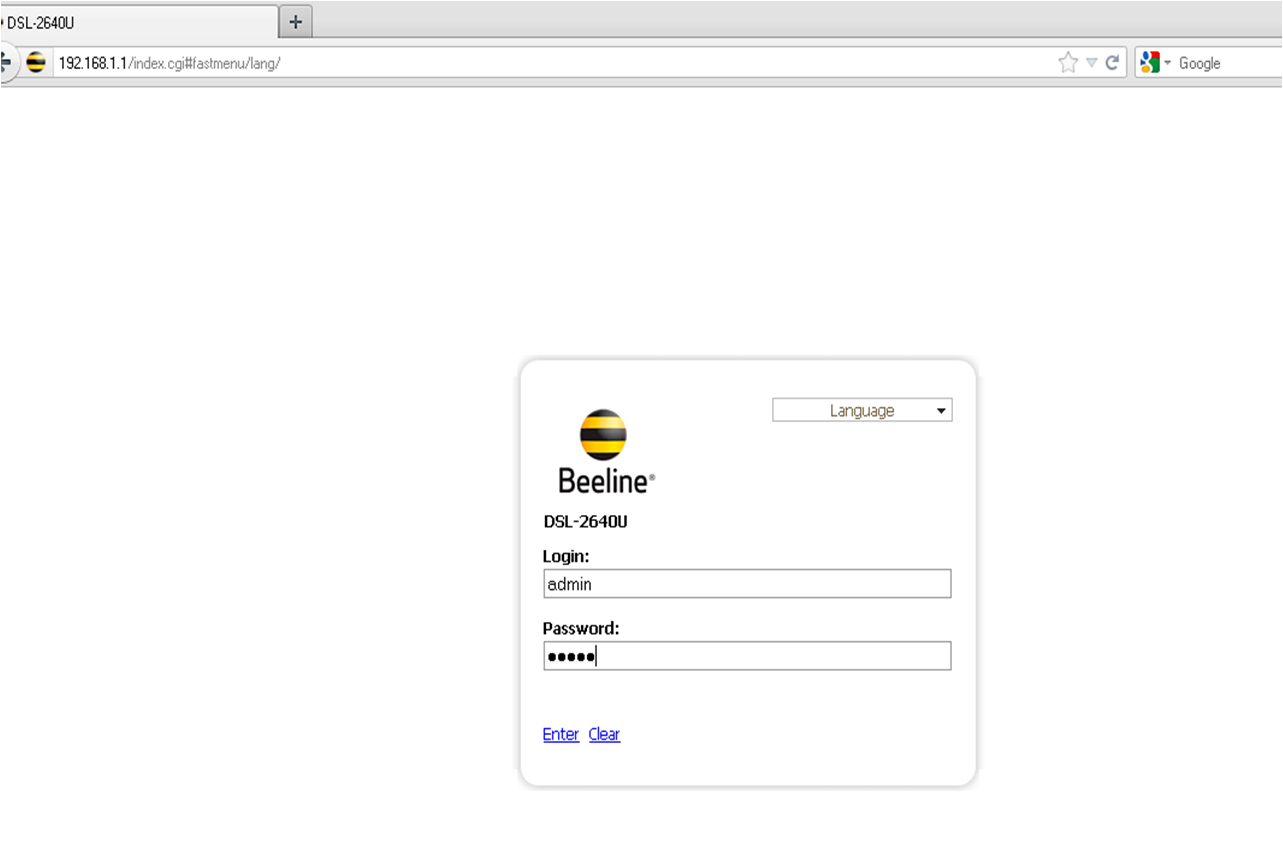
To configure the modem D-Link DSL 2640U WiFi: In the address bar enter http://192.168.1.1 To access the modem configuration, enter the following username and password in the opened window: Username: admin Password: admin
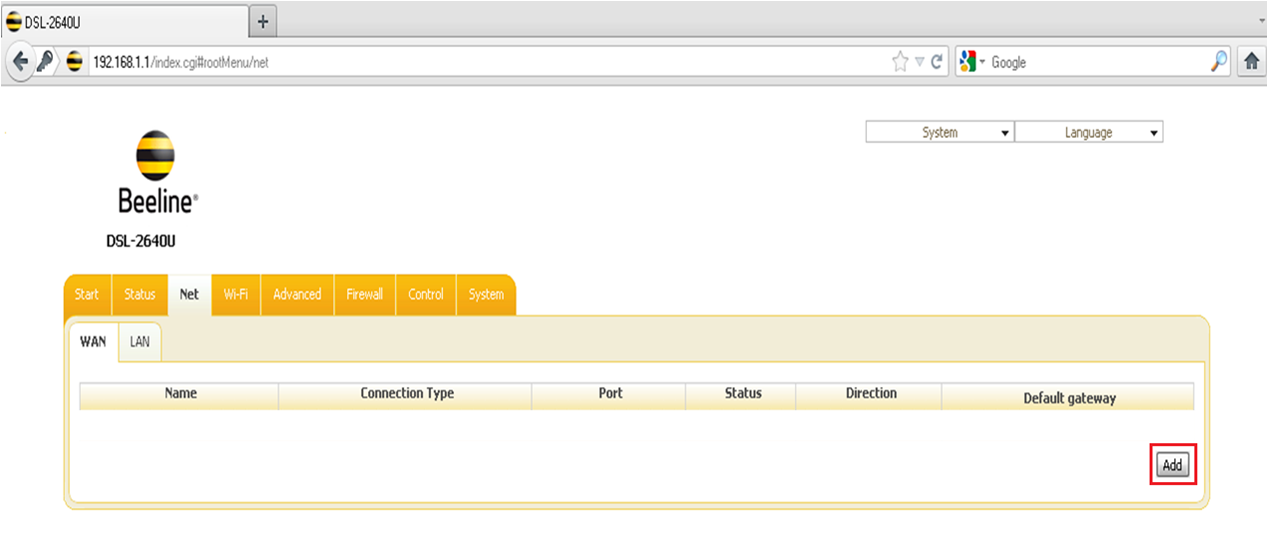
In the opened window click Net, Тen click Add
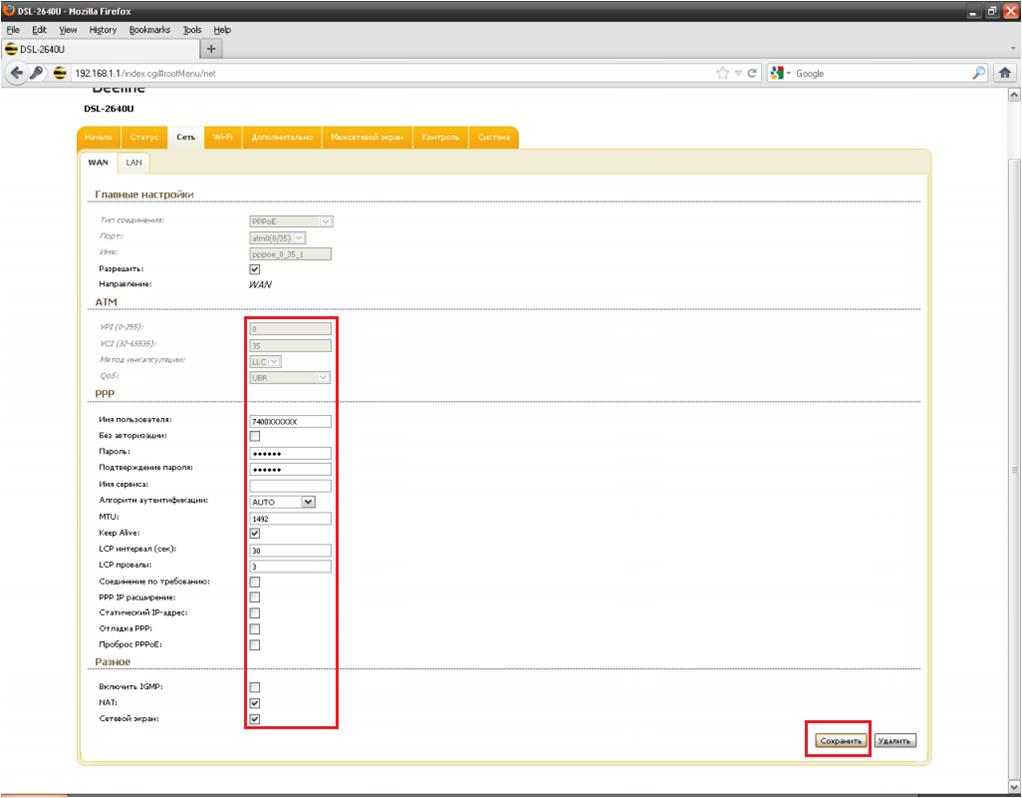
Enter data to access the Internet Username — 7400XXXXXX Password — ****** Comfirm password — ****** Click - Save
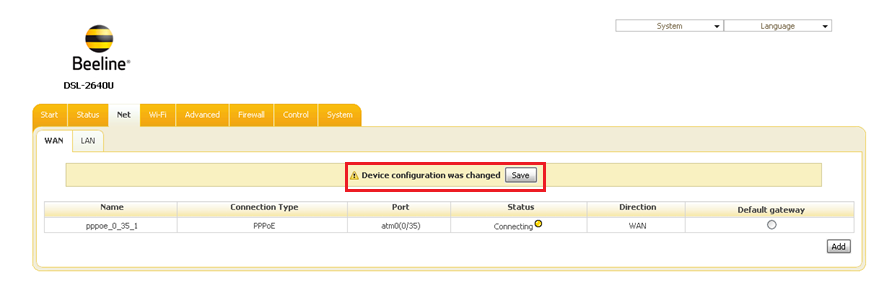
Mark the Default gateway point And click Save. After saving the data in the pop-up window, click OK.
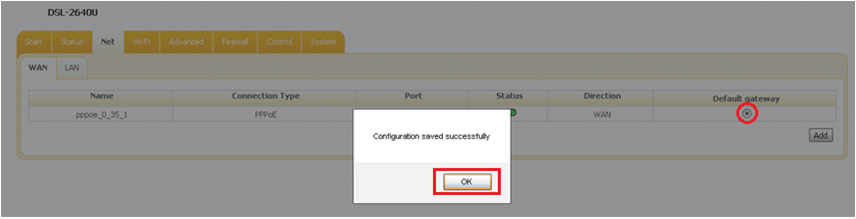
After saving the data in the pop-up window, click OK. This completes the modem and connection setup!
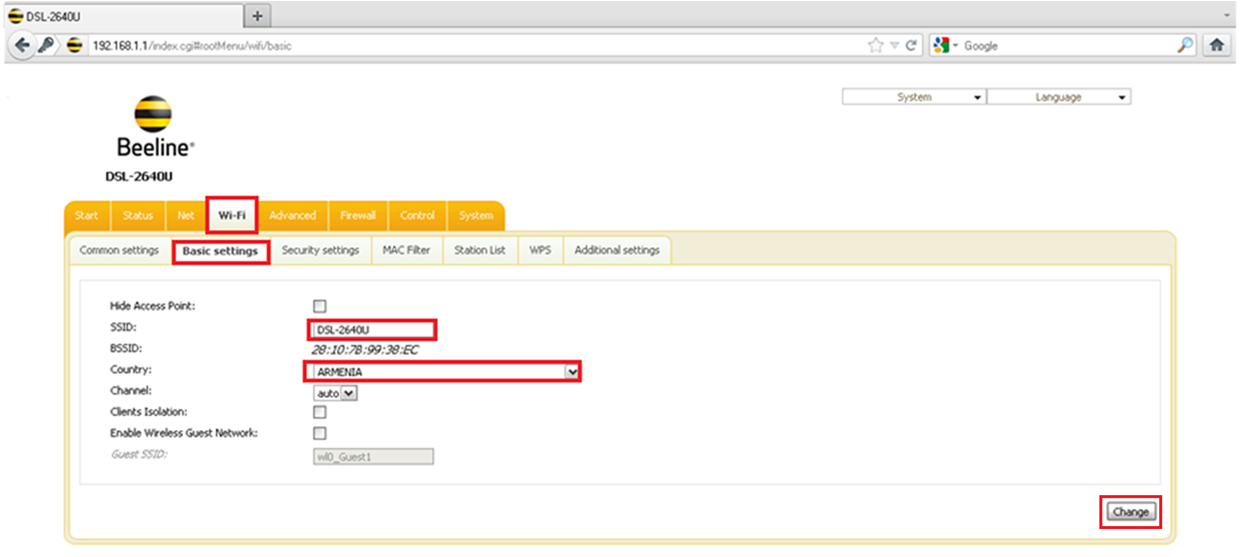
Open Wi-Fi menu In the bookmark, select Basic settings. Enter the data - SSID - the name of the Wi-Fi connection Country - (highly recommended) - United States After entering the data, click Change.
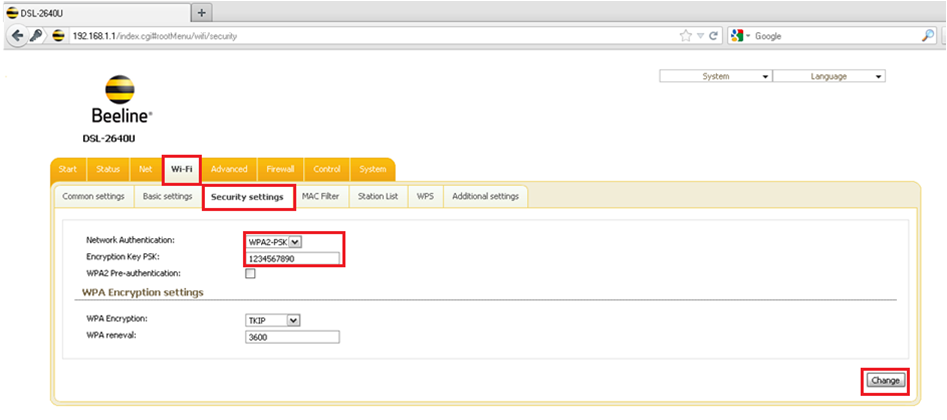
In the Security Settings tab Network Authentication - WPA2 - PSK Encryption Key PSK - PSK (minimum 8 character password to access the wireless network).