• Private Clients
  • Business
  • E-shop
  • Հայ
  • Рус
  • Eng
Personal account
Team
  • Tariffs
    • Mobile
    • Internet and TV - COSMO
    • Internet and TV - COMBO
    • Home phone
  • Internet
    • For smartphones
    • For home - COSMO
    • For home - COMBO
    • For PC & Tablet
    • Team 5G
  • Services
    • TeamTV
    • Payment services
    • Entertainment
    • Calls & security
    • Home phone
  • Roaming
    • Roaming
    • International calls
    • Useful information
    • Services
  • Online shop
    • E-shop
    • Online credit
    • Subscription
  • Offers
    • Shake and Win!
    • Team Bonus
    • Promos
    • MobiBattle
    • GeForce Games
  • Help
    • FAQ
    • Device settings
    • Subscriber service
    • USSD codes and useful numbers
Payments
  • FAQ FAQ
  • Device settings Device settings
  • Subscriber service Subscriber service
  • USSD codes and useful numbers USSD codes and useful numbers
  • Home
  • Private Clients
  • Help
  • Device settings

How to configure Port forward W8901N

How to configure Port forward W8901N

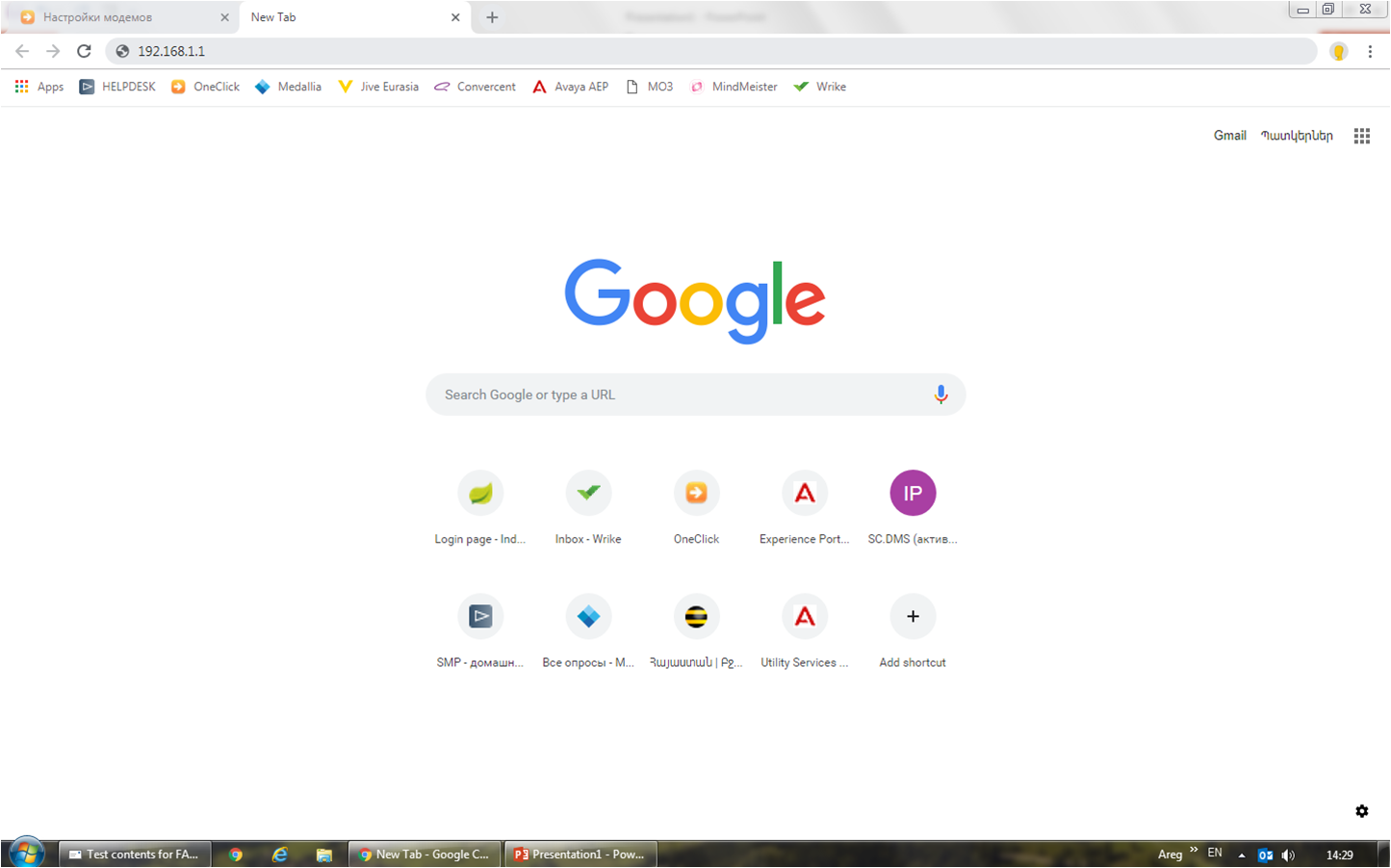
1. Open the browser tab. 2. Enter in the address bar (depending on the firmware version) 192.168.1.1 or 192.168.0.1 (v3 version)

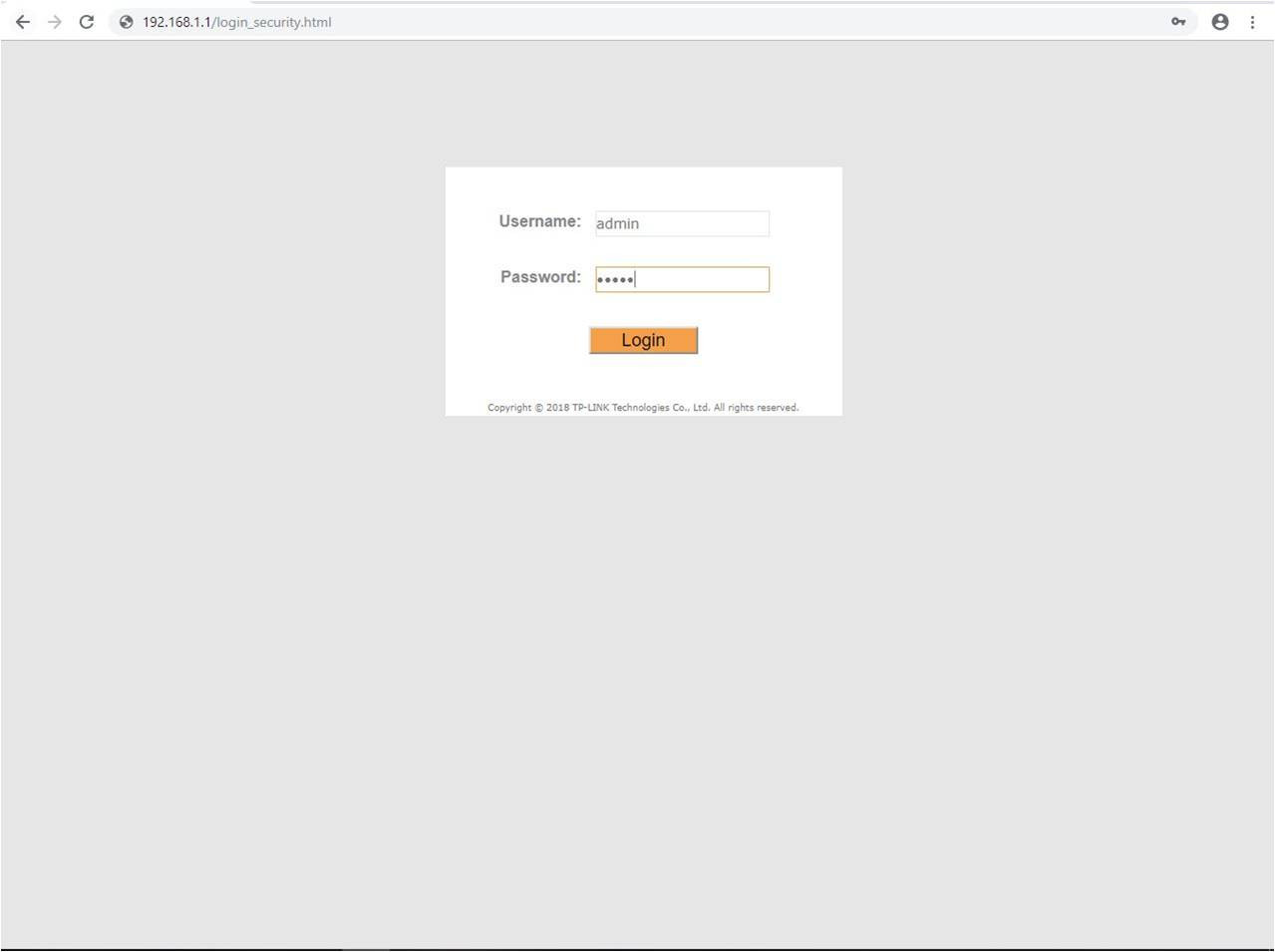
In the opened window, in the fields - “username” and “password”, you need to write - admin, then click on “Login”.

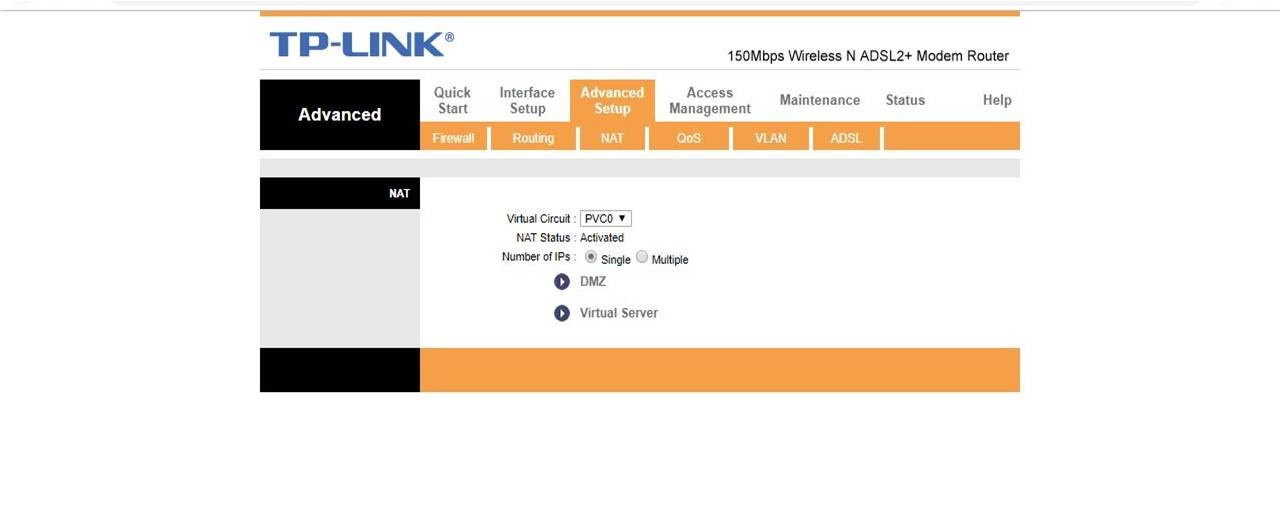
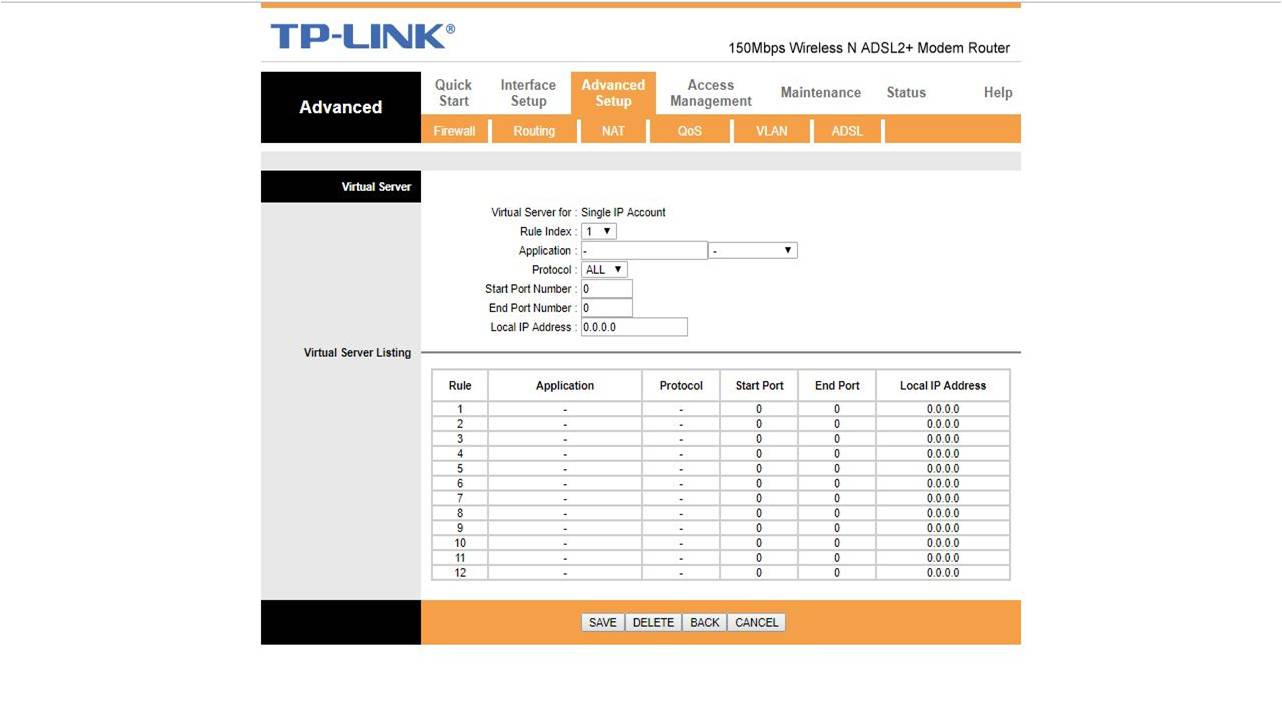
1. Open - «Advanced Setup» section 2. Select - «NAT» from menu 3. Click on - «Virtual Server»item

In the window that opens, fill in the following fields: 1. “Protocol "- choose the desired protocol at your discretion 2. «Start Port Number» - write start port dvr 3. "Local IP Address" - write the local IP address that the dvr received 4. After adding the configuration, you must click on "Save"

Team
100 info@telecomarmenia.am
qr
team.mobile.application_ios.link.label team.mobile.application_android.link.label
qr qr
About Company
  • About us
  • Connections museum
  • News
  • Career in Telecom Armenia
  • Results and reporting
  • Corporate Ethics and Compliance
  • Sustainable Development
  • To shareholders
Information
  • Terms and conditions
  • Security
  • E-shop terms
  • Credit terms
  • Delivery terms
  • Sales and service centers
  • Coverage
  • Mobile network coverage areas
  • Team internet available areas
  • Useful documents
  • Partners and suppliers
  • Privacy policy
  • RA regions’ codes
Team applications
  • TeamTV
  • My Team
  • Team Pay
  • Team Energy

© 2025 Telecom Armenia OJSC. All rights reserved. Developed by Team Solutions CJSC.