


- Home
- Private Clients
- Help
- Device settings
How to check the speed of the Internet
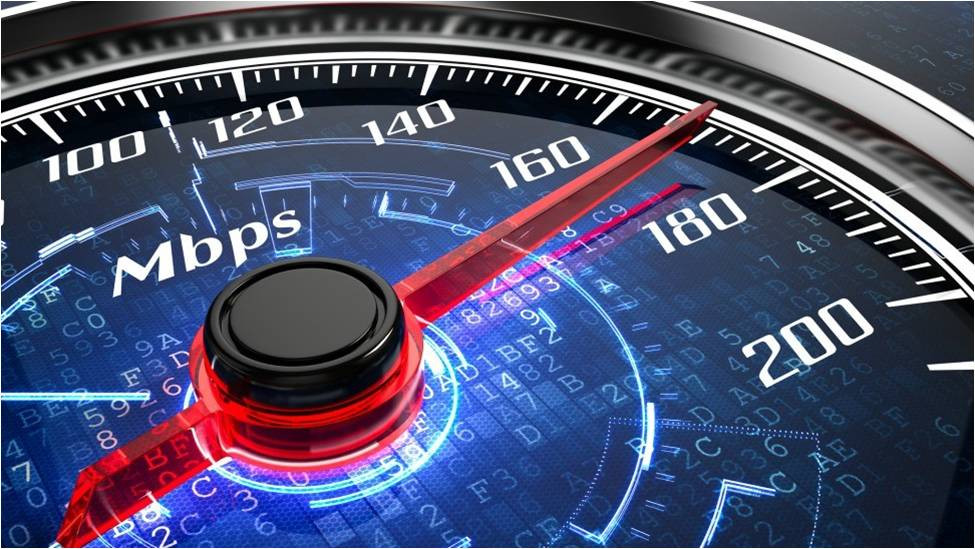
Before proceeding to speed test, it is necessary to understand the difference between the transmission speed received from the provider and the download speed observed in the browser. The fact is that provider measures provided Internet in Mbit/s. To find out how many MBs are per unit of stream, you should know that 1 byte equals to 8 bits. And so, there are two types of speed: incoming (Download) and outgoing (Upload). In addition, when measuring, you can find out ping value.
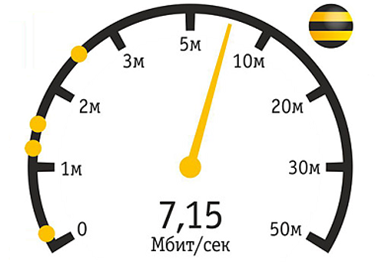
What is ping? It is the packet transfer rate from your computer to the server and back. The less the value, the better for user. What is incoming (download) and outgoing (upload) speed? The incoming speed is when you download files, and outgoing is when you upload files. These parameters are different from each other.

Important to know !!! While testing speed it’s not recommended to use WiFi network, have other PC’s , mobile devices or services: IPTV connected. It’s essential to use wired router connection; to close all the programs (antivirus , torrent , firewall and other programs opened in your browser).
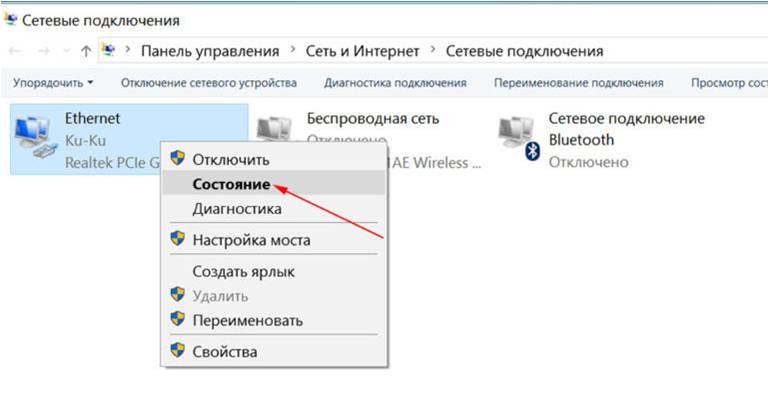
Windows features. In order to determine max available speed for this type of connection, click on the folder “Network Connections”, right-click on “Ethernet” section and choose “Status” from context menu.
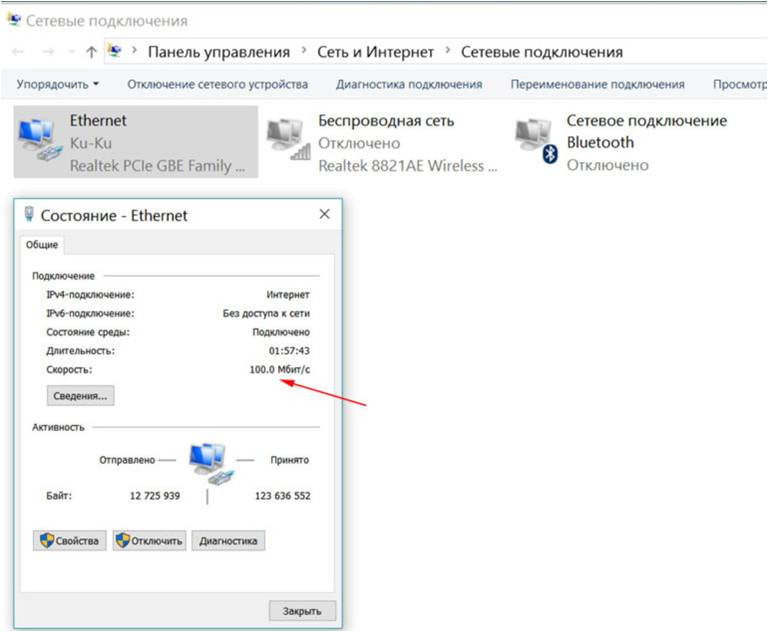
Windows features. The difference between transmitting data through LAN and WiFi can significantly differ, since the built-in adapters may have technical differences. In the given picture, it displays the maximum bandwidth of your computer (LAN and WiFi).
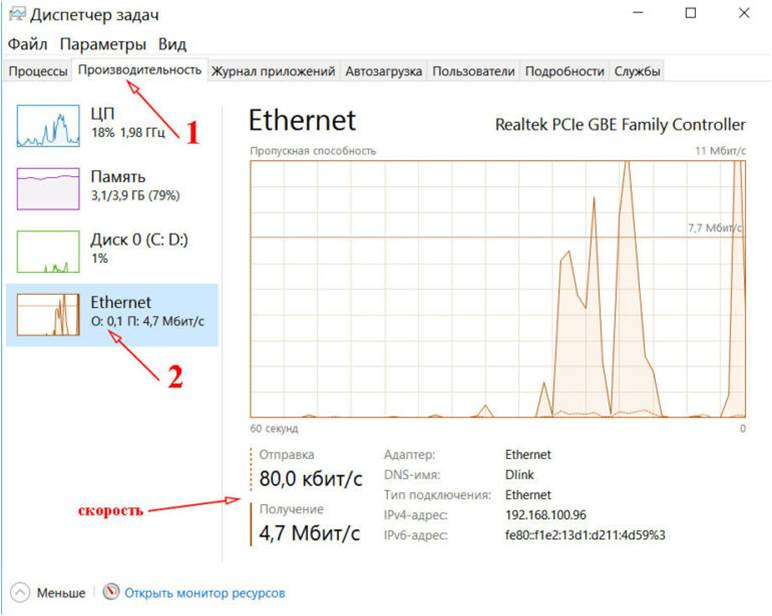
Testing on your PC or Laptop. The easiest way to check speed of your internet, click “CTRL+Alt+Delete”,then enter “Task manager”: click on the section “Performance” and find “Ethernet” or “WiFi” in the opened window, depending what you are using. Then download any needed file(for example a video). In the right side of the graphics you can see the load of network, and below you can see the speed provided by the operator with +/- 10-15% accuracy.
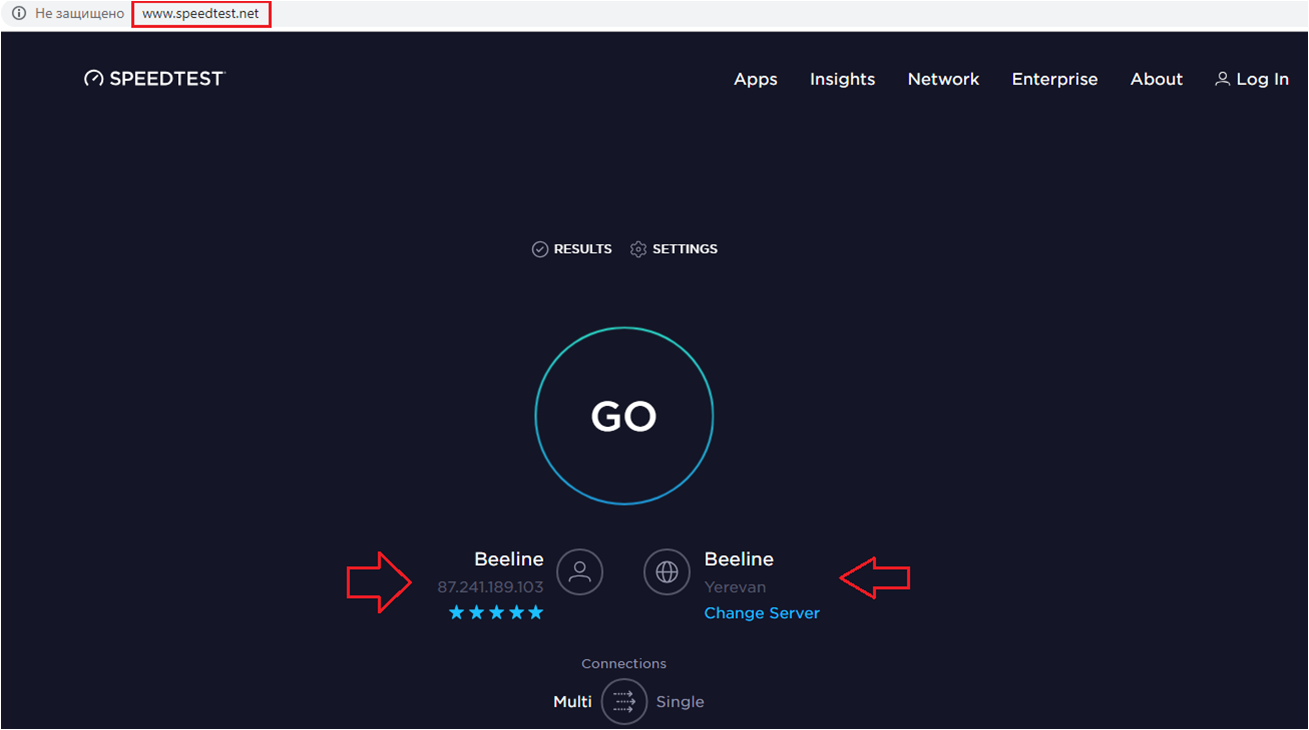
Testing using web-interface speedtest.net This service is simple to use and very popular among users. In order to start the check you just need to click on the button “Start” or “GO”. You can get the results about 25-30 seconds.
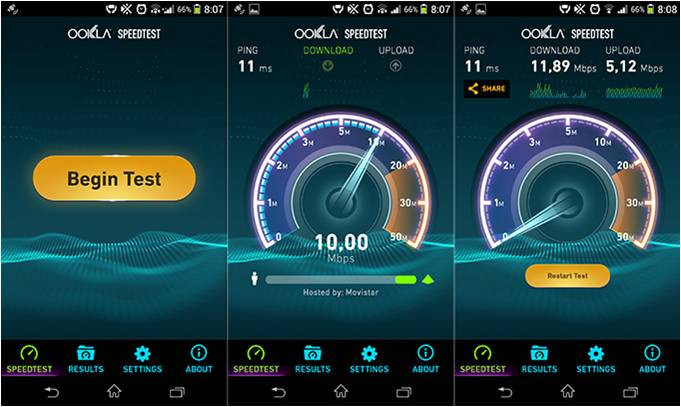
Speedtest - available not only through an online browser, it is also presented as an application for various devices, such as smartphones and tablets.
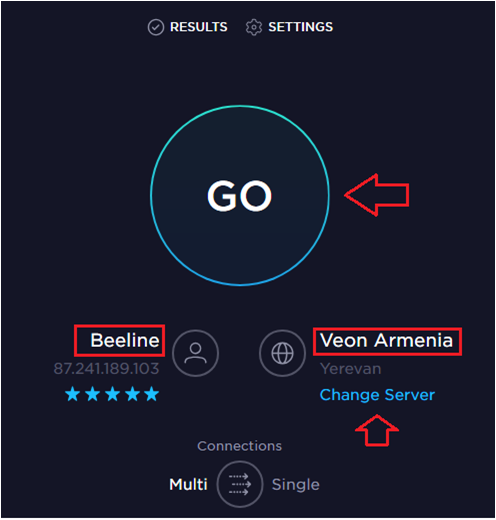
Նախքան թեստը սկսելը, խորհուրդ է տրվում ընտրել ձեր օպերատորի սերվերը առավելագույն ճշգրիտ տվյալներ ստանալու համար:
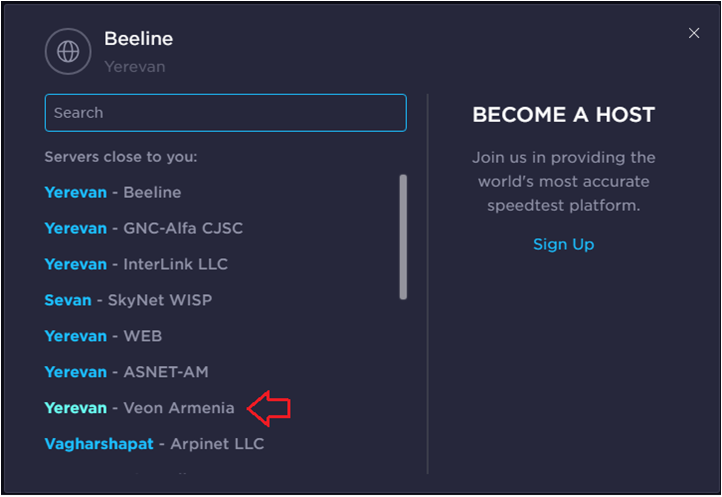
Which server to choose for the test? Before you start a test, we recommend to choose your provider's server for a more accurate result.
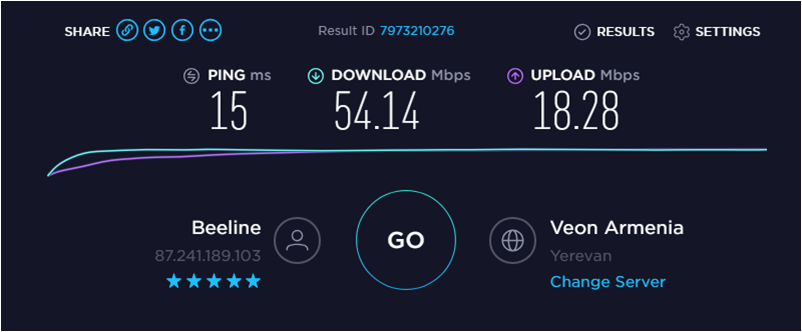
In this stage is shown the speed of your internet connection.