How to change the name or password for WiFi ZTE H108N
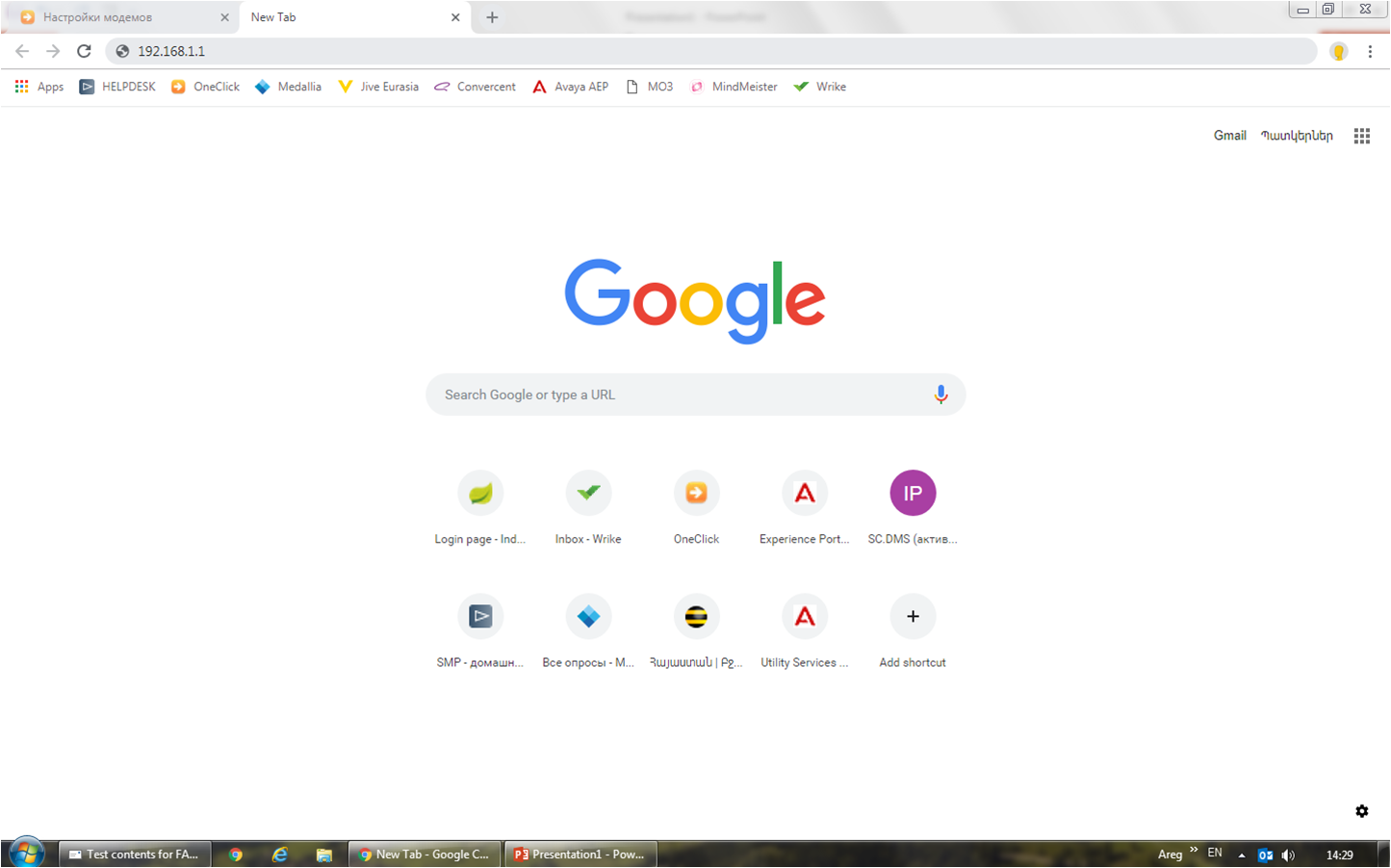
Open the browser tab.
In the address bar, enter 192.168.1.1
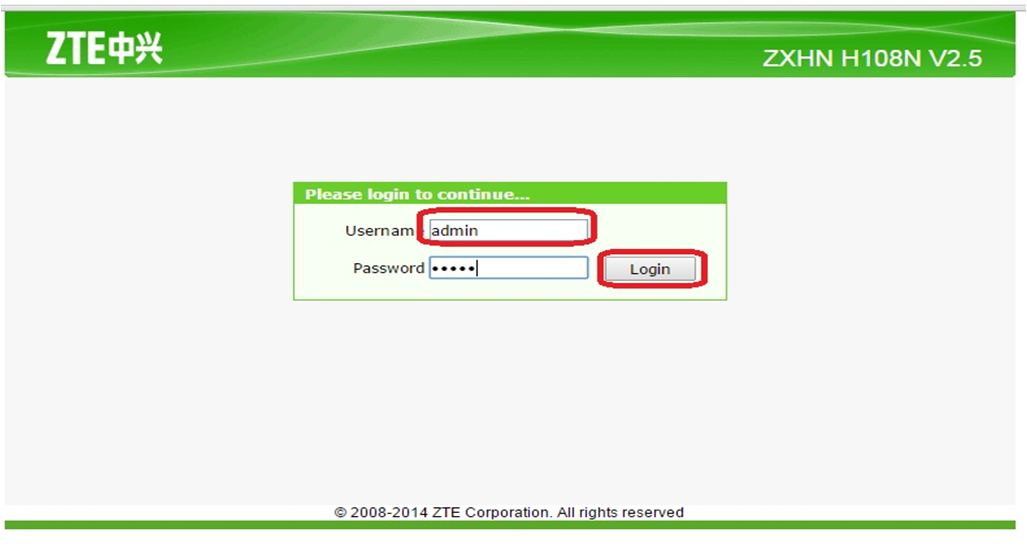
In the opened window, in the fields - “username” and “password”, you need to write - admin, then click on “Login”.
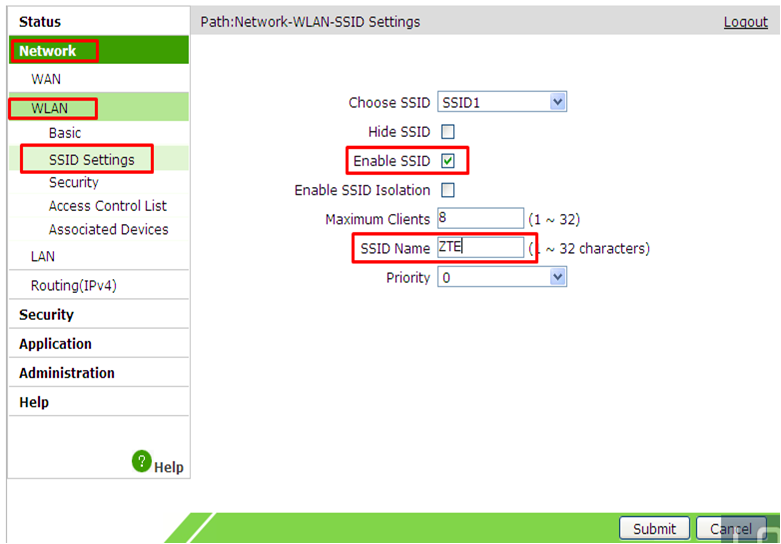
Open Network Menu
Then WLAN
Open SSID Settings
In the field "SSID Name" enter the name of the Wi-Fi connection
Click Submit
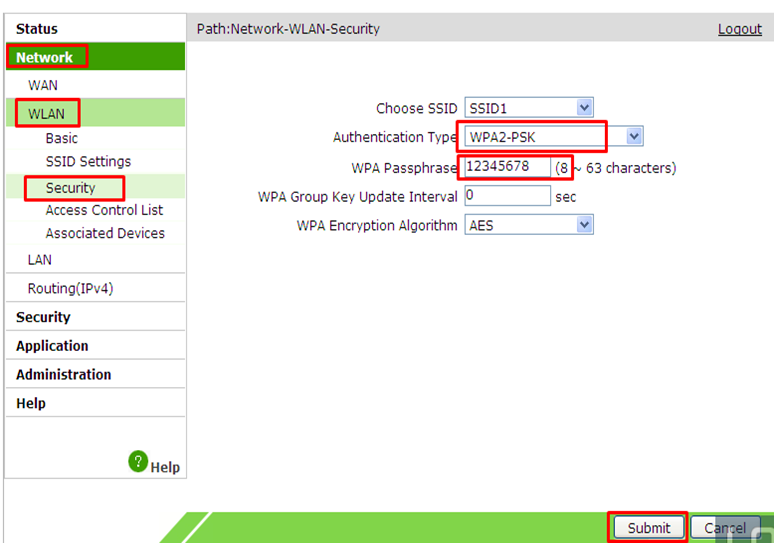
Open Network menu
Then WLAN
Open Security
Authentication Type - select WPA-PSK
In the “WPA Passphrase” field, write down the new password for WiFi (at least 8 characters).
Click Submit.