How to change the name or password for WiFi VDSL V100
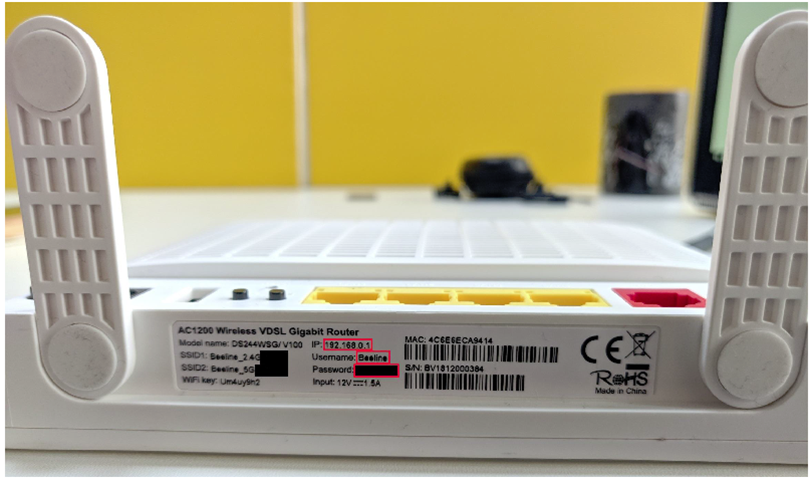
To enter the modem menu in the factory settings, you can use the instructions described underneath the modem.
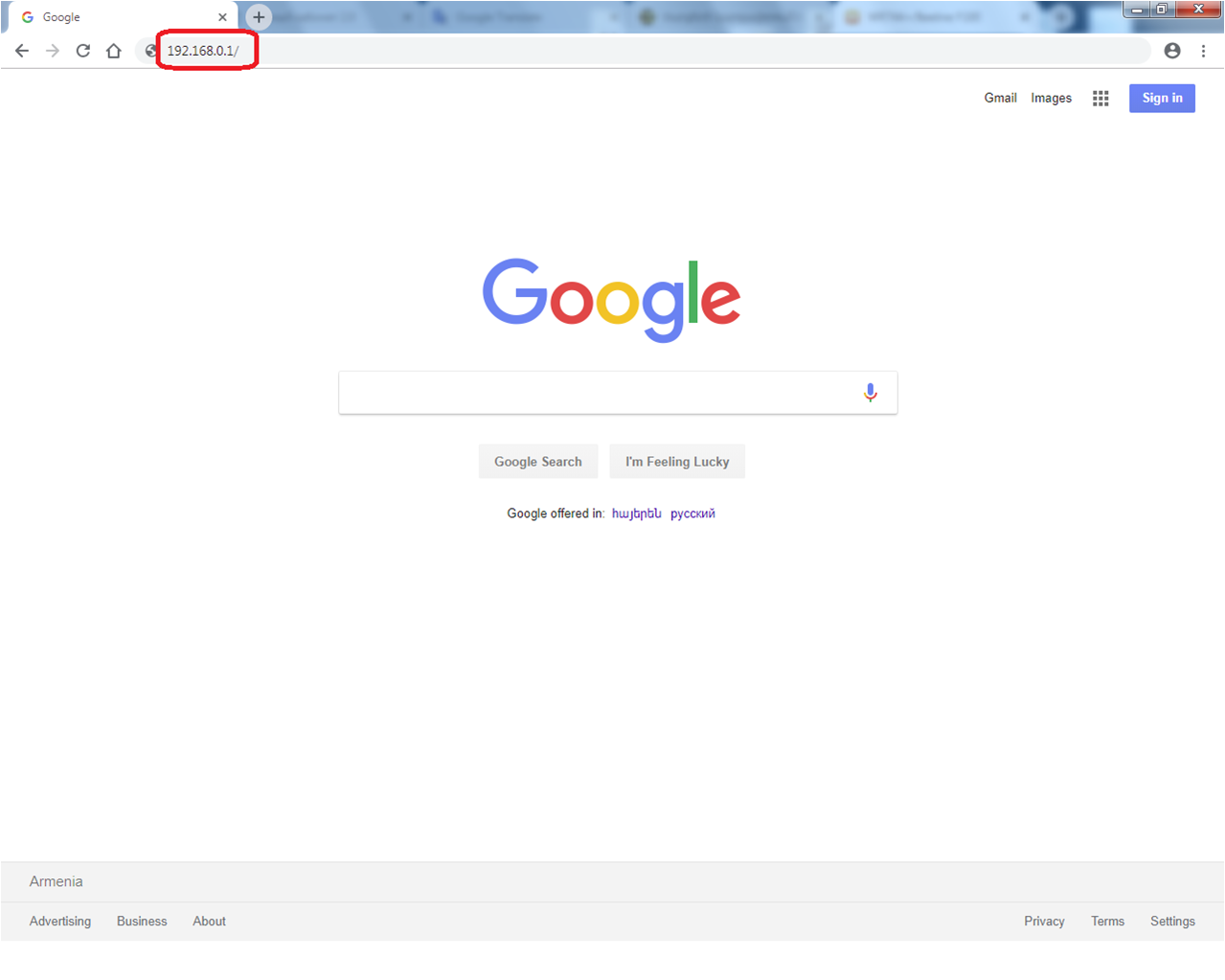
Open browser,
In the address bar, enter 192.168.0.1 and click “enter”.
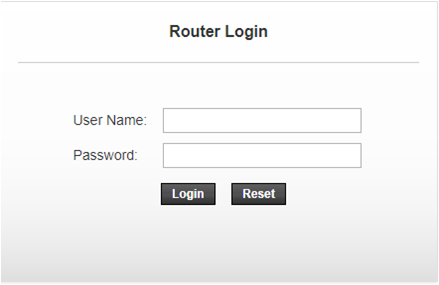
In opened window enter the following username and password:
Username – admin
Passwօrd- Be7-9Ov1!cS
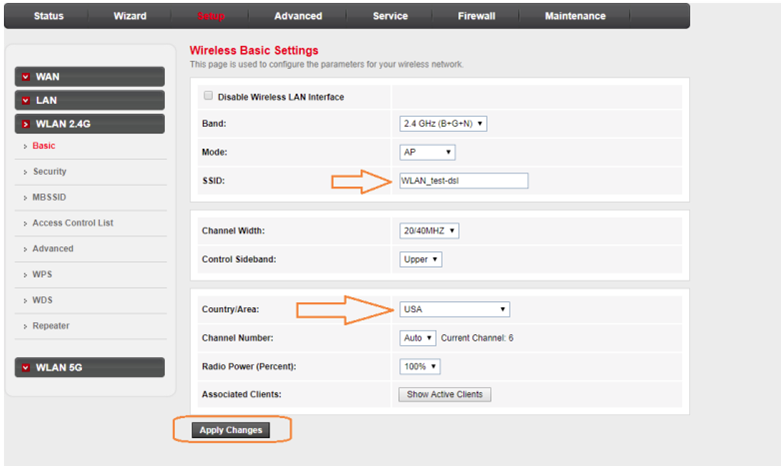
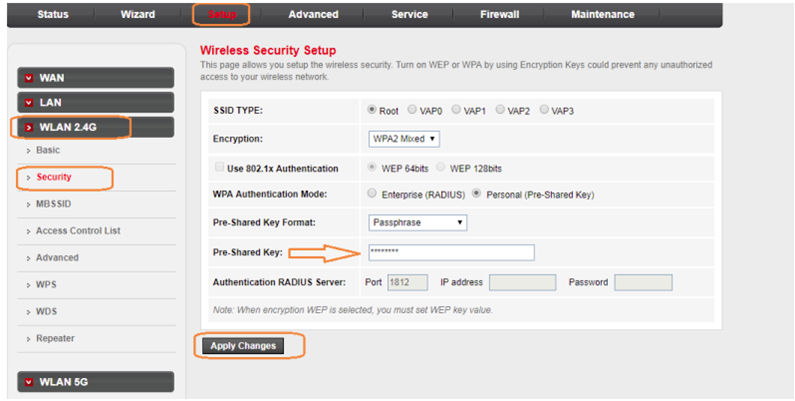
In the opened window select Setup and then click on the WLAN 2,4G or WLAN 5G.
Enter your WiFi name in the SSID field on the right side of the page.
Country / Area choose USA.
Click Apply Changes.
In the WLAN 2.4G or WLAN 5G section, click the Security button.
Enter your WiFi password in the Pre-Shared Key field on the right side of the page.
Click Apply Changes.