How to change the name or password for WiFi Beeline Smart Box Pro
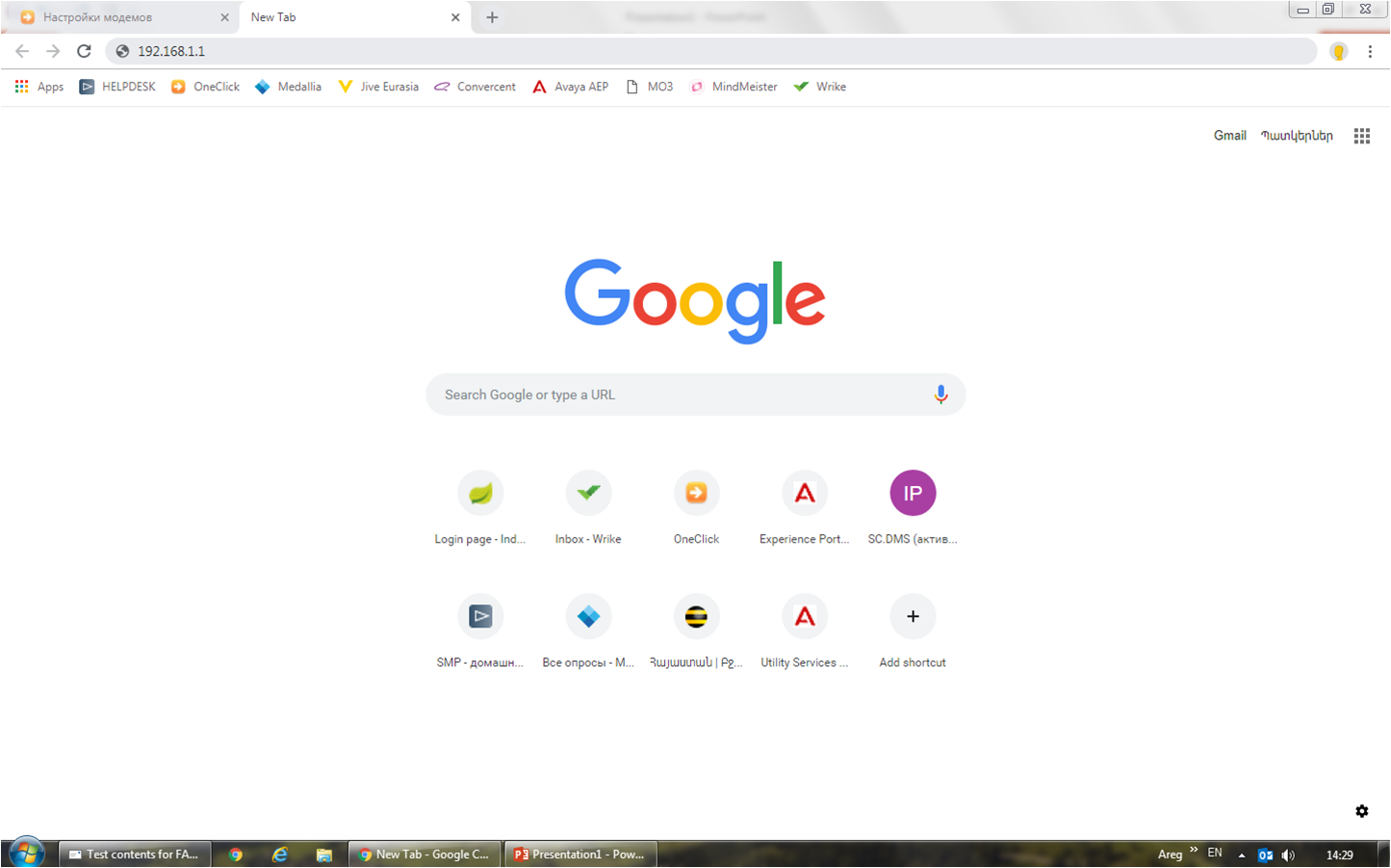
Open the browser tab.
In the address bar, enter 192.168.1.1
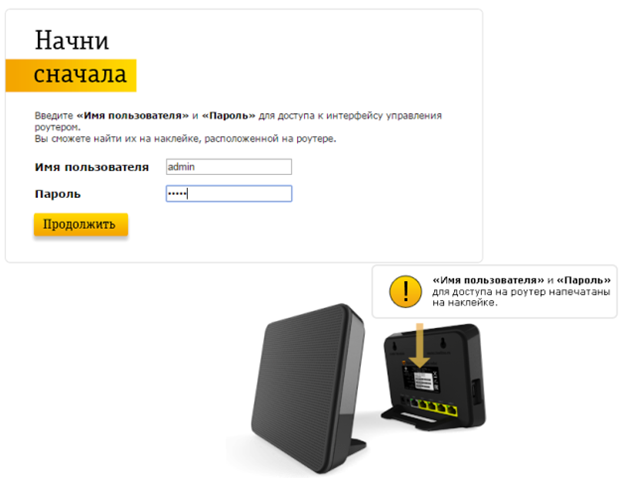
In the opened window, in the fields - “username” and “password”, you need to write - admin, then click on “Continue”.
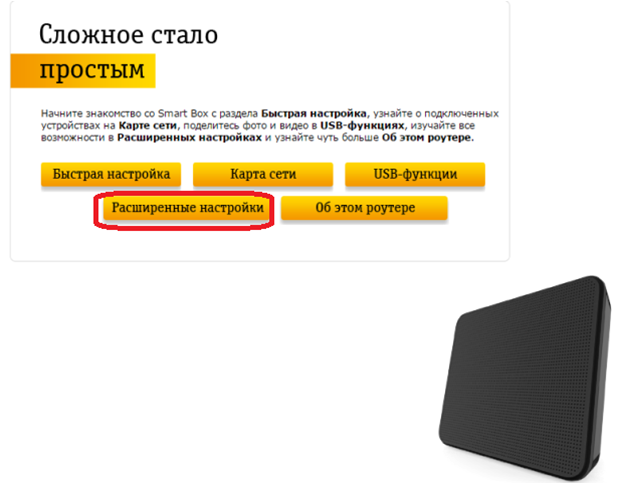
Open “Advanced Settings” section.
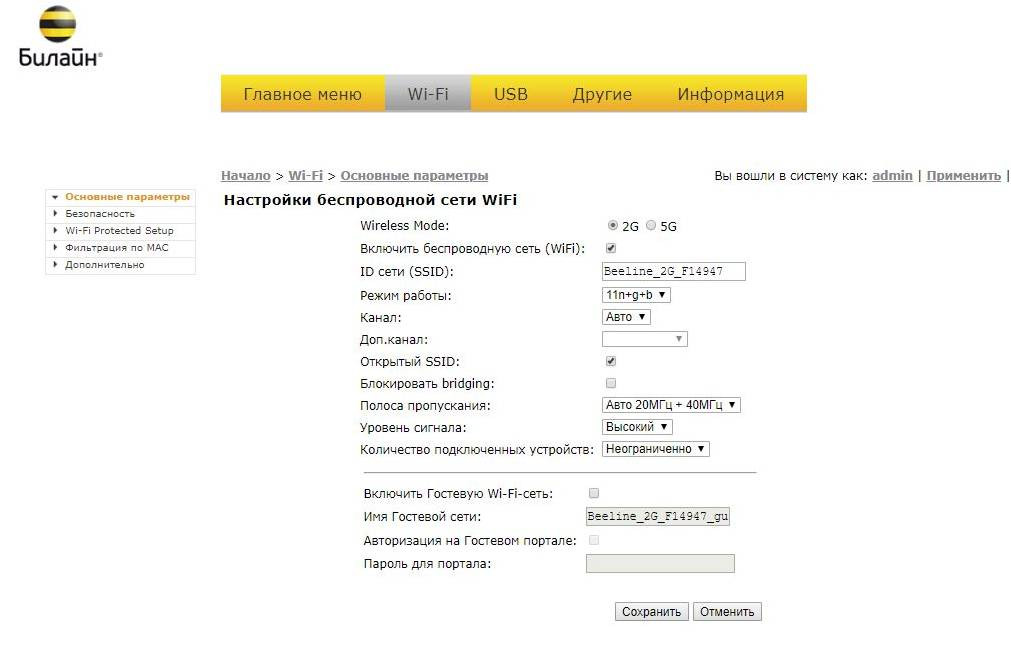
Select the "Wi-Fi" section
Open the “Basic Settings”.
Choose the WiFi network (2G / 5G) you want to change the name in the “Wireless Mode” section
In the "Network ID (SSID)" field - write down the new name for WiFi.
Click Save.
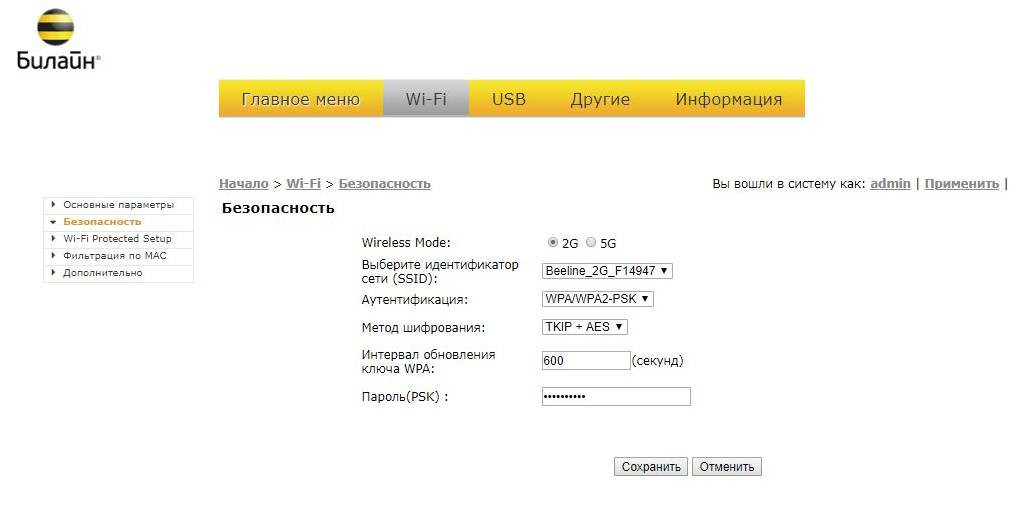
Select the "Wi-Fi" section
Open Security.
Select the WiFi network (2G / 5G) whose password you want to change in the “Wireless Mode” section
Authentication select WPA / WPA2-PSK
In the “Password (PSK)” field - write down the new password for WiFi (at least 8 characters).
Click Save.
Then Apply.